


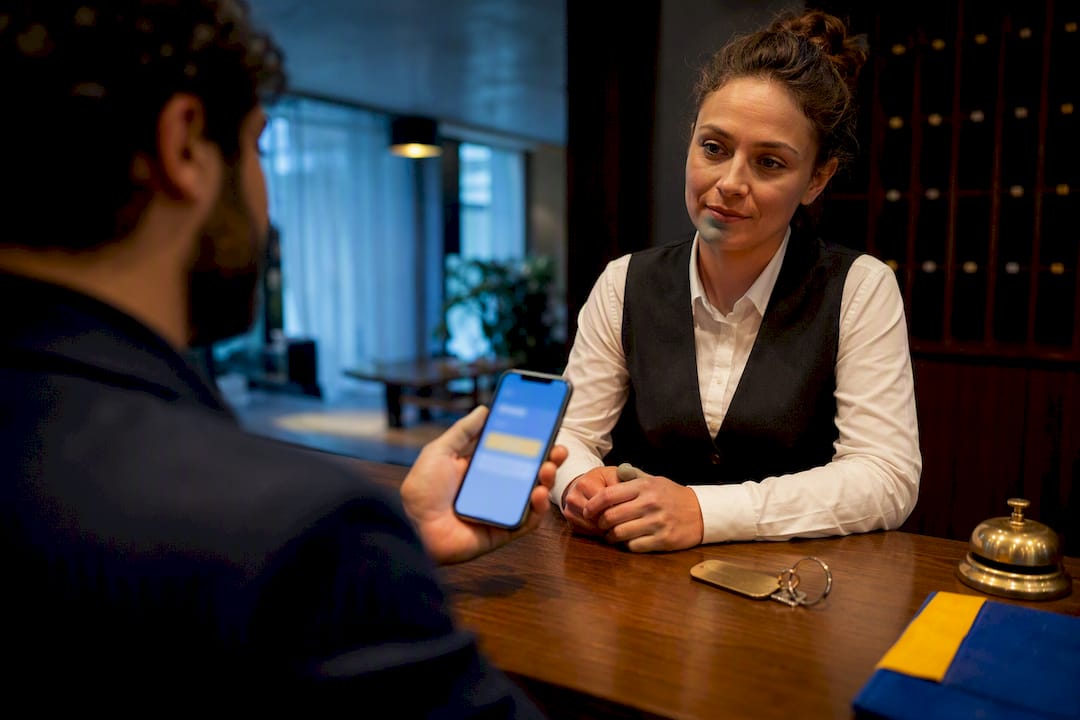
A Booking.com check-in form built by Eurocheckin automates the entire guest registration chain: reservations sync from Booking.com, guests fill out a multilingual online form, and their data transmits directly to SES.HOSPEDAJES without you touching a spreadsheet. The result is compliant reporting under Real Decreto 933/2021, GDPR-safe data hosting inside the EU, and one less administrative task on your daily list.
TL;DR:
- Automation reduces the risk of errors by replacing manual data entry, especially for multiple properties managing several channels.
- The system requires precise mapping of guest data fields to Spanish legal requirements, with submissions due within 24 hours of guest arrival.
- Integration relies on correct API authorization and real-time data flow between Booking.com, your channel manager, and the check-in platform.
- Costs are around €5 per month per accommodation, with significant time savings and increased potential for positive reviews through faster check-ins.
- Full automation makes sense starting at three or more units, with initial testing recommended to ensure compliance and reliable data transmission.
Table of Contents
- What Does the Eurocheckin Booking.com Check-In Form Include?
- How Does This Meet Spanish Legal Requirements?
- How Does Booking.com Integration Actually Work?
- Setting Up a Compliant Check-In Form: A Step-By-Step Checklist
- What Does This Cost, and What Does It Save?
- When Full Automation Makes Sense (An Editor’s View)
- Get Your Booking.com Listings Compliant With Eurocheckin
- Sources
- FAQ
What Does the Eurocheckin Booking.com Check-In Form Include?
The form itself is the visible layer. Underneath it sits a compliance engine built to satisfy Spanish reporting law without requiring you to memorize a single article of the regulation.
Guests receive a link tied to their reservation, fill in their details in their own language, and upload identification directly from a phone. That single workflow replaces what used to take three separate tools: a booking confirmation, a paper registration card, and a manual SES.HOSPEDAJES entry.
Here’s what comes packaged into that workflow:
- Multilingual guest forms that adjust to the traveler’s language automatically, reducing incomplete submissions from international guests.
- Document capture for DNI Digital and passports, so identity verification happens before arrival instead of at the front door.
- E-signature contracts that let guests accept house rules and rental terms digitally, with a timestamped record attached to the reservation.
- Automatic SES.HOSPEDAJES submission with retention controls that follow the legal data-keeping windows, not a guess at how long to keep records.
- Calendar and channel sync across Booking.com and other OTAs so availability updates in real time.
- Smart-lock integration with Nuki, TTLock, and Yale for guests who arrive outside staffed hours.
- Upsell and payment support, letting hosts sell extras that guests pay for instantly with Apple Pay or Google Pay.
Each piece exists because a manual version of it tends to fail somewhere. Paper forms get lost. Spreadsheets get typos. A digital chain that starts at booking and ends at SES.HOSPEDAJES submission removes most of those failure points in one pass.
How Does This Meet Spanish Legal Requirements?
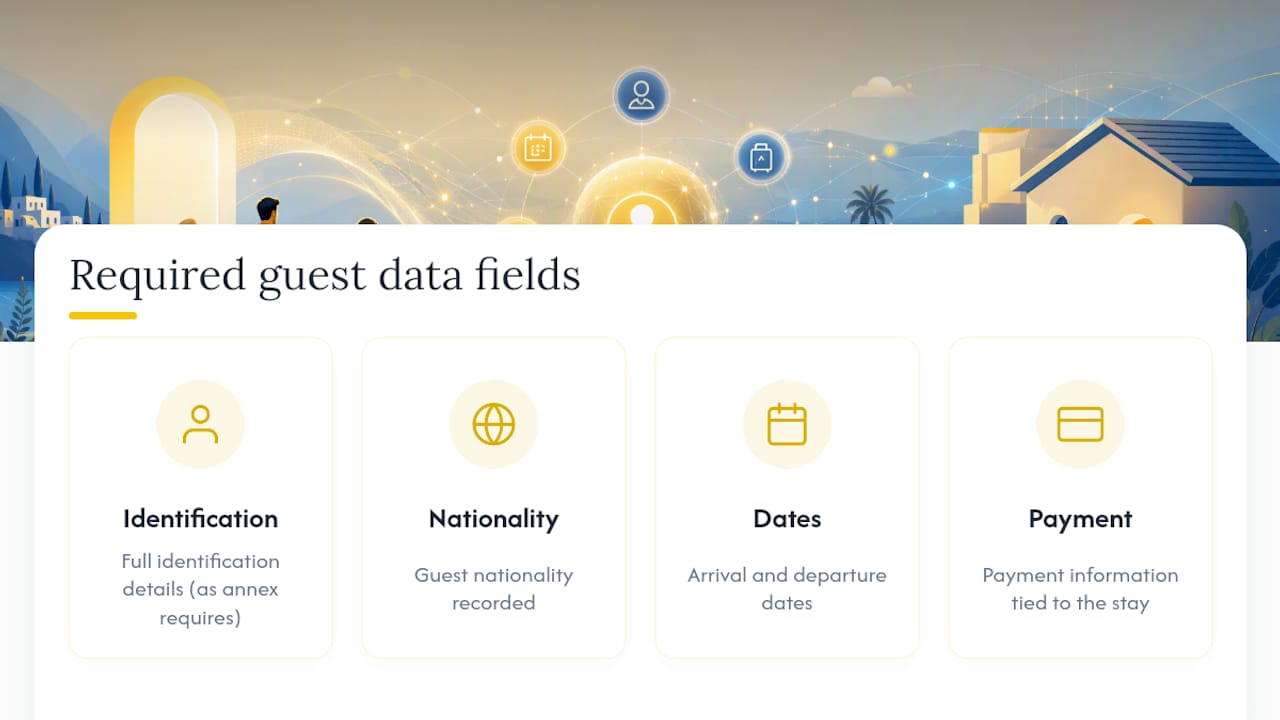
Real Decreto 933/2021 sets out exactly what accommodation providers must record and transmit for every guest, and the obligation applies whether you run one apartment or a forty-room hotel. The decree specifies the data fields required under its annexes: full identification details, nationality, arrival and departure dates, and payment information tied to the stay.
Timing matters as much as content. Communications to the authorities are generally required within 24 hours of a guest’s arrival, and some categories of transmission call for immediate reporting.
SES.HOSPEDAJES is the Ministry of Interior’s official electronic channel for sending that data, and Spanish guidance explicitly permits automated collection systems as long as they verify accuracy and respect data protection rules. That’s the legal opening automation relies on: nothing in the framework requires a human to retype guest details into a government portal.
Treating SES.HOSPEDAJES submission as a hard operational checkpoint changes how you design the form. Every field should map directly to an annex requirement. Nothing optional, nothing extra, nothing missing.
Automated check-in systems that transmit straight to SES.HOSPEDAJES cut the risk of sanctions and processing errors that come with manual or PDF-based workflows, which weren’t built to enforce a required field before submission happens. GDPR responsibility sits with the property owner regardless of which tool handles the data, which is why hosting matters. Keeping guest records on EU-based infrastructure avoids the cross-border transfer questions that come with servers outside the bloc. If you’re weighing the penalty side of getting this wrong, the fines for unregistered guests make the case for automation on their own.
How Does Booking.com Integration Actually Work?
Integration isn’t a one-time setup you forget about. It’s a live data pipeline, and understanding the trigger points helps you troubleshoot when something doesn’t sync.
Here’s the sequence from booking to submission:
- A guest confirms a reservation on Booking.com, and that booking data flows into your Eurocheckin account through the channel connection.
- The system automatically generates a check-in link tied to that specific reservation and sends it to the guest before arrival.
- The guest completes the form, and their details map directly onto the fields SES.HOSPEDAJES requires, including reservation reference, dates, and identification.
- Submission happens on the platform’s own schedule, matching the legal reporting window rather than waiting on someone to log in and file manually.
- Calendar sync updates availability across Booking.com and any other connected channel manager, which is what prevents two guests from being booked into the same unit on the same night.
The most common breakdown point is authorization. You need to grant read access to your Booking.com reservation data, and if your channel manager sits between Eurocheckin and Booking.com, that connection needs its own confirmation too. When guest links stop arriving or a reservation shows up late, check the API credentials first. That’s where sync failures usually start.
Setting Up a Compliant Check-In Form: A Step-By-Step Checklist
Getting a new property live doesn’t need to take a week. Follow this order, and most hosts finish in a single working session.
- Register for SES.HOSPEDAJES access. You’ll need either a certificado digital or Cl@ve credential, and you should confirm your property IDs are correctly listed before connecting any third-party tool.
- Connect Booking.com. Authorize read access to your reservation data so bookings flow into your check-in system automatically, and confirm your channel manager sync is active if you list on multiple platforms.
- Adjust your form fields. Match them to the RD 933/2021 annexes exactly, then enable document capture and e-signature so identity verification and contract acceptance happen in the same flow.
- Run an end-to-end test. Create a blocked test reservation, complete the guest form yourself, and verify the SES.HOSPEDAJES submission lands within the required timeframe.
- Add smart locks and upsells if relevant. Connect Nuki, TTLock, or Yale for unattended arrivals, and turn on paid extras if you want guests to book add-ons ahead of check-in.
Pro Tip: Don’t skip the blocked-reservation test. It’s the only way to confirm the full chain, from Booking.com sync to SES.HOSPEDAJES record, actually works before a real guest depends on it.
If you get stuck on the SES connection specifically, a dedicated walkthrough on automating the SES.HOSPEDAJES submission covers the credential setup in more depth than a checklist can.
What Does This Cost, and What Does It Save?
Subscription pricing for automated check-in tools runs around €5 per month per accommodation with a free trial period to test the workflow before committing. For a single apartment, that’s a minor line item. For a portfolio of ten or twenty units, it starts looking like the cheapest compliance insurance available.
The bigger number is time. Automating traveler registration cuts processing time substantially compared to manual entry, and that gap widens fast once you’re managing several properties across different OTAs at once.
- Return on investment arrives fastest for hosts running multiple units or juggling several channels, where manual entry scales badly.
- Fewer manual fields mean fewer transcription errors reaching SES.HOSPEDAJES.
- Paid upsells and faster check-ins tend to generate more five-star reviews across Google, Airbnb, and Booking.com.
When Full Automation Makes Sense (An Editor’s View)
Full automation earns its keep once you’re past two or three units, mixing OTAs, or dealing with guests who arrive at odd hours. Below that threshold, you can often manage manually, though I’d argue the margin for error shrinks faster than most hosts expect.
Start with your highest-volume property. Watch the SES.HOSPEDAJES submissions for a week or two before rolling automation out everywhere. That pilot period tells you whether your channel manager sync is solid and whether guests actually complete the form before arrival.
Data protection concerns come up often, and they’re reasonable. The honest answer is that EU-hosted infrastructure and encrypted transmission solve the technical side. The operational side, checking that submissions actually went through, still needs a human glance now and then.
— Sofía Herrera
Get Your Booking.com Listings Compliant With Eurocheckin
Eurocheckin is the direct route to a compliant, automated check-in process for every Booking.com reservation you manage, without hiring extra staff or building a spreadsheet workaround. 
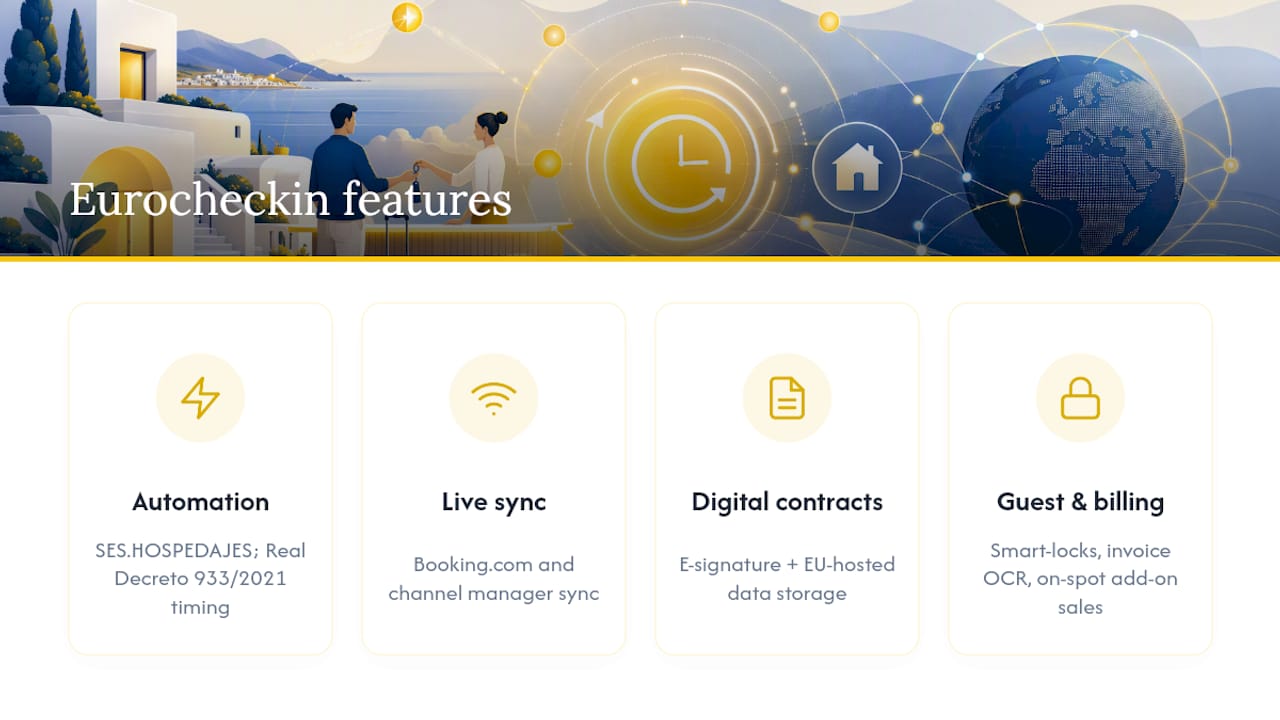
The platform combines everything covered above into one subscription: SES.HOSPEDAJES automation that meets Real Decreto 933/2021 timing requirements, live Booking.com and channel manager sync, digital contracts with e-signature, EU-hosted data storage, and smart-lock integrations for guests who arrive after hours. You also get invoice OCR for expense tracking and the option to sell add-on services guests pay for on the spot.
Explore the full feature set for property managers and start a free trial on your highest-volume listing first. Run the same blocked-reservation test described in the setup checklist, confirm your SES submission lands on time, and you’ll know within a day whether the workflow fits your properties. If you manage a hotel rather than short-term rentals, the SES Hospedajes setup for hotels covers the same process at that scale.
Sources
- BOE: Real Decreto 933/2021
- Ministerio del Interior: Hospedajes y alquiler de vehículos (SES.HOSPEDAJES guidance)
FAQ
What Is a Booking.com Check-In Form?
It’s an online guest registration form, provided by a third-party platform like Eurocheckin, that syncs with your Booking.com reservations and automatically submits required guest data to SES.HOSPEDAJES.
Is Online Check-In Legal Under Spanish Law?
Yes. Spanish guidance permits automated data collection systems as long as they verify accuracy and comply with data protection rules, which automated forms are built to do.
How Fast Does Data Need to Reach SES.HOSPEDAJES?
Real Decreto 933/2021 generally requires submission within 24 hours of arrival, with some transmissions expected immediately depending on the case.
What Happens if My Booking.com Sync Fails?
Check your API authorization first. Most sync failures trace back to expired or unconfirmed read access between Booking.com, your channel manager, and your check-in platform.
Does Eurocheckin Work With Smart Locks?
Yes. Eurocheckin integrates with Nuki, TTLock, and Yale, letting guests complete self check-in after their registration form and identity verification are done.


