Most iCal sync problems in vacation rentals come from three causes: a feed URL that was replaced or copied wrongly, two connections feeding the same calendar, or the delay built into iCal itself. The first two you can fix in minutes. The third you can only shrink, and for that the lasting answer is a platform that keeps your calendars in step for you, which is what EuroCheckin does across Airbnb, Booking and more than 12 other platforms.
This guide is for owners and managers who run listings on several portals and see missing blocks, late updates or dates that lock and unlock by themselves. It does not cover Outlook or iPhone calendar problems, which are a different issue.
TL;DR
- iCal is not instant. Each portal fetches your feed on its own schedule, typically every 15 to 60 minutes, so a short window for double bookings always exists.
- Most “broken” syncs are configuration errors: a wrong or regenerated URL, the same calendar imported twice, or a portal that does not accept external iCal feeds.
- Fix order: confirm the export URL, confirm the import, remove duplicate connections, wait, then test with a dummy booking.
- Fewer places selling the same night means fewer conflicts. A single source of calendar truth is the durable fix.
- If you manage several listings, an automated sync tool removes the manual checking. EuroCheckin starts at 5 € per month per accommodation, with a free trial.
Table of Contents
- How iCal sync actually works
- Symptoms and likely causes
- Step-by-step: fix a feed that won’t update
- Why there is always a delay
- A worked example
- Prevent double bookings while you fix it
- iCal, a channel manager or an integrated platform?
- Our view on calendar sync
- Take the manual work out of calendar sync
- Common errors to avoid
- FAQ
- Sources
How iCal sync actually works
iCal is a plain calendar file with a web address. One portal publishes it (the export link). Another portal downloads it at intervals (the import link) and blocks the dates it finds there.
Three things follow from that design, and they explain most of the complaints you will read:
- Nothing is pushed. The receiving portal asks for the file. If a guest books between two downloads, the other portal does not know yet.
- The receiving portal sets the rhythm. You cannot make Airbnb, Booking or Vrbo fetch faster. Each has its own refresh time, and some do not publish it.
- The file is minimal. It carries blocked dates and a basic status, not guest names, prices or booking details.
Because the file is a chain, one weak link stops everything after it. If one portal does not accept external iCal feeds, the chain breaks at that point, and the portals behind it never see the block.
Symptoms and likely causes
Start with what you see. This table maps the usual symptom to its most probable cause and the first thing to check.
| What you see | Most likely cause | First check |
|---|---|---|
| Booking on portal A never appears on portal B | Import link missing, wrong or expired | Re-copy the export link from A and paste it into B |
| Booking appears, but 30 to 60 minutes late | Normal refresh interval of the receiving portal | Wait, then test again |
| Dates lock and unlock on their own | Two connections feeding the same calendar, or a loop | List every connection for the listing |
| Duplicate blocks on the same dates | Same portal connected by iCal and by another method | Keep one method per portal |
| Feed worked for months, then stopped | Link was regenerated, or the account was reconnected | Compare the saved URL with the current export link |
| Manual block still lets guests book | Block was made on a portal that is not the feed’s origin | Make manual blocks in the master calendar |
| Only some portals update | One portal in the chain does not import external feeds | Check which portals support import and export |
Step-by-step: fix a feed that won’t update
Work through these in order. Do not skip ahead to deleting everything: you lose the evidence of what was wrong.
1. Check you have what you need
Before touching any link, confirm that each portal can both export and import iCal, that you have administrator access to each account, and that the same property is the one connected on every portal. Mixing up two similar listings is a common cause of “missing” bookings.
2. Re-copy the export URL
Open the calendar settings of the portal that holds the booking and copy the export link again. Do not retype it, and do not trust a link saved in a note months ago. Many portals generate a new address if you regenerate it or reconnect the account, and the old one then stops working. A broken feed is often silent: the receiving portal keeps showing its last copy, which slowly goes out of date.
On Booking.com, iCal sync is only available when no channel manager is connected to the property. If one is, the iCal option is not the route to use.
3. Check the import on the receiving portal
Paste the link into the import field of the other portal and save. Confirm the portal accepts it without an error and that the listing name matches. Make sure you pasted the export link of portal A into portal B, not portal B’s own export link into itself.
4. Remove duplicate connections
This is the cause behind most strange behavior. Rentalia’s help center advises against setting up more than one iCal for the same portal. If a portal is already connected by XML or API, adding an iCal on top can create conflicts and duplicate blocks. The same goes for importing the same iCal into two systems that both feed one portal: the portal receives the same block twice.
Write down every connection per listing: which portal exports, which imports, by which method. If any line appears twice, delete one.

5. Reset when dates flip on their own
If dates lock and unlock without anyone touching them, the same help center suggests removing all the syncs, waiting more than an hour so each portal clears its copy, and setting them up again from scratch, one at a time. Add the connections in a single direction first, check, then add the next.
6. Test with a dummy booking
Create a test reservation on portal A and check that the same dates are blocked on every other portal within 30 to 60 minutes, as recommended by Rentalia. Delete the test afterwards and confirm that the dates reopen everywhere. Cancellations travel through the same slow chain as bookings.
7. Recheck regularly
A feed that works today can fail after an account change. Review that all connections are still active on a fixed schedule. Our calendar sync audit checklist for Spanish rentals gives you a routine for it.
Why there is always a delay
Even a perfect setup leaves a gap. If portal B refreshes every 30 minutes and a guest books on A one minute after the last download, B can sell the same night for up to half an hour. A same-day or last-minute booking in a busy city is the riskiest case.
Two things make this worse in practice:
- Chains. If A feeds B and B feeds C, the delays add up, and a failure at B hides itself from C.
- Silent failures. The portal does not warn you when a feed stops responding. You find out when a guest arrives to an occupied apartment.
We go deeper into measuring and shortening that gap in Calendar Sync Latency: Why Bookings Lag and How to Cut Them.
A worked example
Take a manager with one apartment in Valencia listed on Airbnb, Booking and Vrbo, who set it up like this: Airbnb exports to Booking and Vrbo; Booking exports to Airbnb; Vrbo exports to Booking.
A guest books on Vrbo. The block has to travel Vrbo, then Booking, then Airbnb. Booking fetches the Vrbo feed, say 30 minutes later. Airbnb fetches Booking’s feed after its own interval. Two hops, two delays, and Airbnb may remain open for the same nights for well over an hour.
Now the manager notices dates flickering on Airbnb. The cause: Booking was reconnected by iCal and also by another method, so Airbnb receives the same block from two directions. Following the steps above, the manager lists the connections, removes the duplicate, waits more than an hour, rebuilds one link at a time and tests with a dummy booking.
The cleaner design is a star, not a chain: each portal exchanges data with one central calendar. That single source of truth is what stops a failure in one place from spreading.

Prevent double bookings while you fix it
While you are troubleshooting, protect the nights that matter:
- Block manually on every portal for dates that are already booked, until the test passes.
- Reduce the number of portals selling the same night while the setup is unstable.
- Keep one master calendar and make every manual block there, not on a random portal. A block made on a portal that is not the origin of the feed may not travel and can stay bookable elsewhere.
- Run the dummy-booking test after every change, not once.
- Do not use generic iCal for a portal that offers an official connection. Rentalia, for instance, advises against generic iCal for Airbnb and Booking and points to its official XML connection.
iCal, a channel manager or an integrated platform?
If you have one or two listings on two portals, iCal with a good audit routine is workable. Once you manage several properties, the manual checking costs more than the tool. The decision depends on how many listings and portals you have and how much a double booking costs you in refunds, relocation and reviews. Our comparison Calendar Sync vs Channel Manager: Which One Do You Need? lays out the criteria.
Our view on calendar sync
Almost every sync problem we hear about is not a broken feed. It is a design problem: too many portals pulling from too many other portals, with nobody watching the links.
The practical answer is to keep the calendar in one place and let everything else connect to it. That is why we built calendar synchronization into the same platform that handles guest check-in and the registration of travelers. Your availability stays updated across Airbnb, Booking and more than 12 other platforms, without you copying links by hand or checking each portal each morning.
The booking is the start of a chain of tasks: the guest’s online check-in, the report to SES Hospedajes, the contract, the smart-lock access. When the calendar is right, the rest of the chain starts from the right dates. When it is wrong, everything after it is wrong too.
Sofía Herrera
Take the manual work out of calendar sync
EuroCheckin synchronizes your calendars automatically across Airbnb, Booking and more than 12 other platforms to avoid overbookings. The same account covers unlimited multilingual online check-in, automatic reporting of guest data to SES Hospedajes under Real Decreto 933/2021, digital contracts with e-signature and integration with Nuki, TTLock and Yale smart locks.
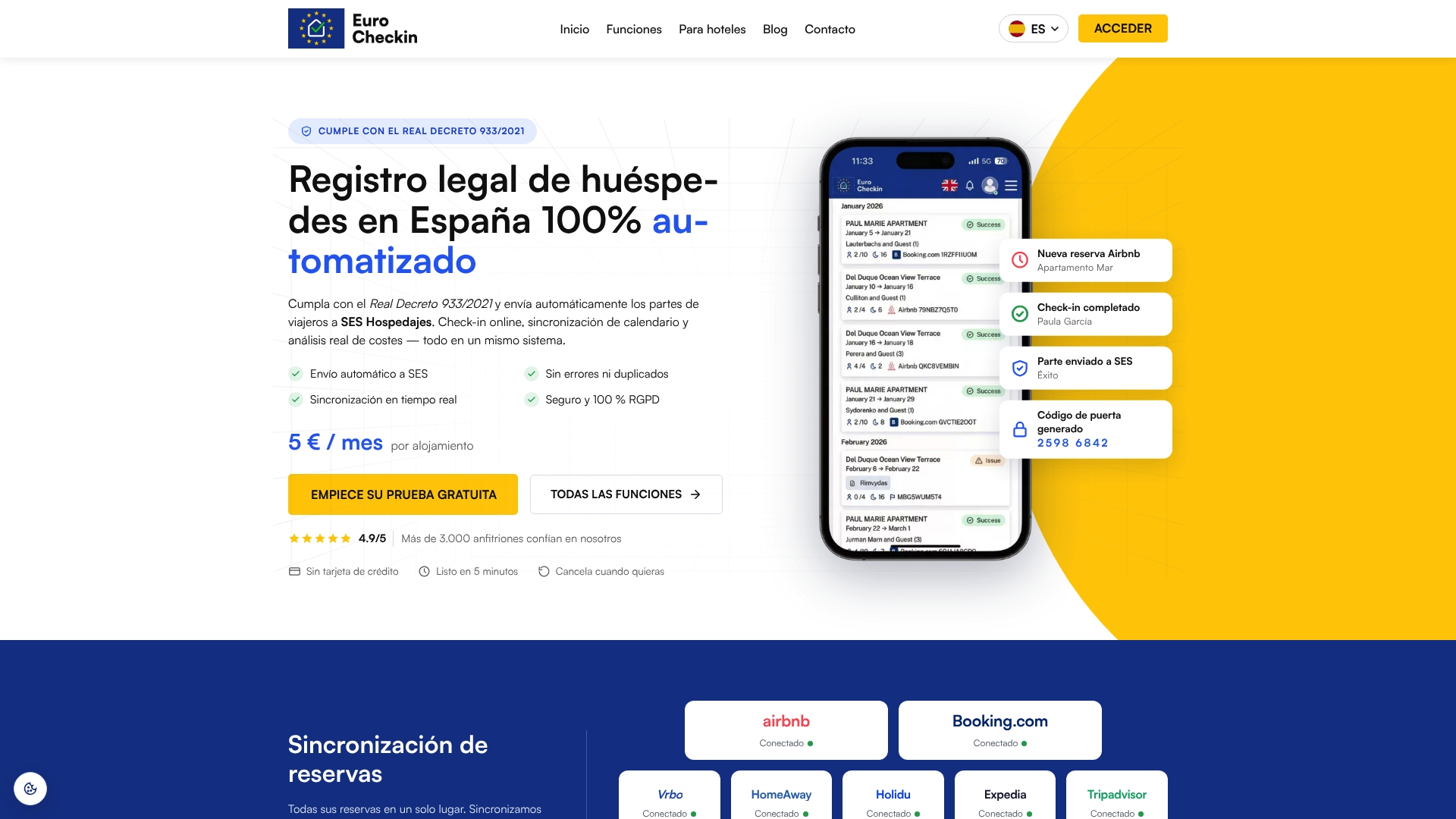
The plan for accommodations costs 5 € per month per accommodation, and there is a free trial. Hotels pay 3 € per month per room. You can start on the EuroCheckin site and connect your first listing.
Common errors to avoid
- Retyping links. One wrong character and the import silently fails. Copy and paste.
- Saving the link once and never rechecking it. Regenerating a link or reconnecting an account invalidates the old one.
- Connecting the same portal two ways. iCal plus XML or API creates duplicate blocks.
- Importing a feed into itself. A portal’s own export link pasted into its own import field achieves nothing.
- Expecting instant updates. Waiting 15 to 60 minutes before judging a result is normal.
- Making manual blocks on the wrong portal. Do it in the master calendar.
- Testing once. Retest after any account or link change.
FAQ
How often does iCal sync?
It depends on the receiving portal, not on you. Rentalia says each portal has its own update time, normally between 15 and 60 minutes. Some portals do not publish their interval, so test with a dummy booking rather than assuming a number.
Why are my blocked dates missing on another portal?
The usual reasons are a wrong or outdated import link, a portal that does not accept external iCal feeds, or a chain in which one portal does not pass the block on. Re-copy the export link, check the import and test again after 30 to 60 minutes.
Why do dates block and unblock on their own?
This points to two connections feeding the same calendar, often the same portal linked by iCal and by another method. Delete every sync for the listing, wait more than an hour and rebuild the connections one at a time.
Can iCal sync cause double bookings?
Yes, because iCal is a periodic download rather than a live update, and a booking made between two downloads is invisible to the other portal. Fewer portals, one master calendar and an automated sync tool shorten that window.