A cleaning schedule stays accurate when it is built from one synced booking calendar and never typed in by hand. If Airbnb, Booking.com and your direct bookings feed a single calendar, and your cleaners work from that calendar, every checkout creates a cleaning slot on its own. A late booking or a cancellation changes the slot without a phone call. This guide shows how to set that up for a tourist rental, a small portfolio or a hotel, and where it usually goes wrong.
TL;DR
- Your cleaning schedule is only as reliable as the booking calendar behind it. Fix the calendar first, then build cleaning around it.
- Keep one master calendar for all channels. Every platform imports from it and your cleaners read from it.
- Define a cleaning window for each property: checkout time, check-in time, cleaning duration and a buffer.
- Sync delays of a few hours are normal. Close the gap with real-time arrival alerts and a rule for same-day turnovers.
- Audit the sync every month. A cleaning that is missed or doubled almost always traces back to a calendar that drifted.
Table of Contents
- Why a cleaning schedule goes wrong
- Build the schedule from one source of truth
- Handling the cases that break schedules
- Connect cleaning to access and check-in
- Do not forget the legal side of arrivals
- A monthly audit that keeps the sync honest
- Common mistakes
- A worked example
- Our perspective
- Put the calendar to work
- FAQ
- Sources
Why a cleaning schedule goes wrong
The top results for this search are about household chores: weekly routines, printable templates, Google Calendar reminders. A rental has a different problem. Your cleaning dates are not yours to choose. They are set by guests, on several platforms, and they change.
Three failures cause most of the damage:
- A booking arrives and the cleaner is never told. The guest checks in to an unprepared apartment.
- A cancellation arrives and the cleaner still comes. You pay for a visit to a clean, empty property.
- Two bookings overlap. A double booking on one platform creates two arrival times and one cleaning slot that works for neither.
All three come from the same cause: the cleaning list and the booking calendar are two separate documents, and a person is copying between them. Every copy is a chance to be late or wrong.
Build the schedule from one source of truth
A cleaning schedule sync works in one direction. Bookings flow into a master calendar. Cleaning slots are derived from that calendar. Nothing flows the other way, and nobody edits the cleaning list by hand.
Step 1: Connect every channel to one calendar
List every place a guest can book: Airbnb, Booking.com, Vrbo, your own website, a phone booking you enter yourself. Each of them must either export its calendar to the master or import from it. Most platforms exchange calendars through an iCal link, a web address that publishes your blocked dates and that another platform reads at intervals.
The weak point is the interval. Platforms read these links on their own schedule, so a reservation made on one channel can take hours to appear on another. Our guide on calendar sync latency explains why bookings lag and how to shorten the gap. If you are unsure whether a simple calendar link is enough or you need a channel manager, read calendar sync vs channel manager first.
On this step EuroCheckin keeps your availability updated across Airbnb, Booking.com and more than 12 platforms, so you are not copying reservations between them. That calendar is the one your cleaning schedule should read.

Step 2: Define the cleaning window for each property
A checkout is not a cleaning slot until you give it rules. Write these down for each accommodation:
| Parameter | What to decide | Example |
|---|---|---|
| Checkout time | When the guest must leave | 11:00 |
| Check-in time | Earliest arrival for the next guest | 16:00 |
| Cleaning duration | Hours needed for a full turnover | 2.5 hours for a one-bedroom |
| Buffer | Spare time for delays and inspection | 30 minutes |
| Deep clean trigger | After how many stays or nights | Every 10 stays |
With these five numbers, a booking calendar can produce a cleaning window by itself: it opens at checkout and must close before the next check-in minus the buffer. In the example, that is 11:00 to 15:30.
Step 3: Mark the tight turnovers
Same-day turnovers, where one guest leaves and another arrives on the same date, are where schedules break. Flag them. A property with a 5-hour window can accept a standard clean. A property with a 2-hour window needs two cleaners or a stricter rule on late checkouts.
Decide in advance what happens when a guest asks for a late checkout on a same-day turnover. The answer should be a fixed rule, not a decision made at 10:45 on the day.
Step 4: Give your cleaners a live view, not a screenshot
A PDF or a photo of the calendar is out of date the moment it is sent. Give your cleaners a link to the live calendar or a feed that updates when bookings change. If your team prefers a messaging app, send a short confirmation after each change, but treat the calendar as the record.
Step 5: Close the loop on the day
The schedule says when to clean. It does not say whether the guest has left. Real-time notifications for each arrival and departure close that gap. EuroCheckin sends instant alerts so you can follow each arrival, and its online check-in collects guest data ahead of time, so you know who is coming and when before the cleaner has finished.
Handling the cases that break schedules
Same-day booking after the cleaning is planned
A last-minute booking for tonight changes a slot from “clean tomorrow” to “clean in four hours”. Decide a cut-off for last-minute bookings, for example no instant bookings after 14:00 for properties with a single cleaner. Most platforms let you set a minimum advance notice.
Cancellations
When a booking is cancelled, the calendar frees the dates and the cleaning slot should disappear. If you have a fee arrangement with cleaners for late cancellation, apply it only when the calendar shows a cancellation inside your agreed notice period. Having the date and time in the synced calendar makes that conversation factual.
Extended stays and mid-stay cleanings
For stays over a week, add a mid-stay cleaning as a recurring rule tied to the booking, not a separate manual entry. If the stay is shortened, the rule moves with it.
Owner stays and maintenance blocks
Block the calendar for your own stays and maintenance, and make sure the block is exported to every channel. A block that exists only in your cleaning list will be sold to a guest by a platform that never saw it.
Multiple properties and one cleaning team
With several apartments, the question becomes routing. Sort the day’s cleanings by checkout time and by location. Two checkouts at 11:00 in different parts of town need two people. Build a daily view that shows every property side by side, so you see conflicts before they happen.
Connect cleaning to access and check-in
A cleaning schedule also depends on who can enter and when. If you use a smart lock, give the cleaner a code that works only for the cleaning window and disables itself afterward. Our guide on how to automate smart lock codes for every booking shows how to generate codes from the booking itself. EuroCheckin integrates with TTLock, Nuki and Yale locks for self check-in, so access follows the same calendar as the rest of your operation.
Locks that run out of battery break the chain: the cleaner cannot enter and the guest cannot either. Read smart lock battery issues and add a battery check to your monthly routine.
Do not forget the legal side of arrivals
In Spain, a clean apartment is not the only thing that must be ready before arrival. Accommodation providers must register their guests under Real Decreto 933/2021, which sets the duty to collect traveler data and report it to the authorities. Guest data should be reported through SES Hospedajes, the Interior Ministry platform for traveler registration. If your cleaning team works from the same arrival list as your registration process, a booking missing guest data is visible before the guest reaches the door. For the full picture, see SES Hospedajes compliance: what Spanish hosts must do.
EuroCheckin sends each guest’s data to SES Hospedajes automatically, in line with RD 933/2021 and the GDPR, with no manual work and no duplicate records. That keeps one list of arrivals driving both compliance and cleaning.
A monthly audit that keeps the sync honest
Even a good setup drifts. Platforms change links, a calendar gets disconnected after a password reset, a new listing is added and never connected. Once a month, check:
- Every listing is connected. Compare the list of properties on each channel with your master calendar.
- Test bookings or blocks appear everywhere. Add a one-night block on a quiet date and confirm it shows on every channel. Then remove it.
- Cleaning slots match checkouts. Pick five bookings and compare their checkout dates with what your cleaners have.
- No orphan cleanings. Look for cleaning visits with no booking behind them, a sign of a cancellation that did not travel.
- No uncleaned checkouts. Look for checkouts with no cleaning, a sign of a booking that arrived late.
The calendar sync audit checklist for Spanish rentals goes through each of these in more detail.
Common mistakes
- Keeping two calendars. One for bookings, one for cleaning. They will diverge.
- Editing the cleaning list directly. If you change a date there, change it at the source or the next sync will overwrite it.
- No buffer. A cleaning window that exactly equals the cleaning time leaves no room for a delay.
- Ignoring time zones and time formats. Check that each platform shows the same checkout and check-in times, especially if you manage properties on the islands as well as the mainland.
- Trusting a sync that was never tested. A connection that looks active can be reading an old link.
- No rule for late checkouts. Each exception becomes a negotiation.
A worked example
Take a two-apartment owner in Valencia. Apartment A is booked on Airbnb, Apartment B on Booking.com and Vrbo. Checkout is 11:00 and check-in is 16:00 in both.
On Friday, Apartment A has a guest leaving and a new one arriving. The window is 11:00 to 15:30, which fits a 2.5-hour clean with a buffer. On Saturday, someone books Apartment B for that night on Booking.com. The synced calendar blocks it on Airbnb and Vrbo, and the cleaning list gains a slot for Saturday afternoon without anyone typing it. On Sunday, the Apartment A guest cancels the next stay. The slot for Monday disappears, and the cleaner sees the change in the live calendar.

No message was written. No spreadsheet was updated. That is what a working cleaning schedule sync looks like.
Our perspective
We build EuroCheckin around one idea: the calendar is the heart of a rental operation, and everything else should read from it. Cleaning, access, guest registration and communication all depend on one question: who is arriving, and when?
When a host keeps that answer in several places, mistakes are guaranteed. When the answer sits in one synced calendar, the rest of the work gets easier. Our platform keeps availability aligned across Airbnb, Booking.com and more than 12 platforms, sends instant alerts for each arrival, collects guest data through online check-in, reports it to SES Hospedajes, and connects with TTLock, Nuki and Yale locks.
For a cleaning team, that means a schedule built on current bookings and not on memory. For a host, it means fewer calls, fewer surprises and more time for the guests who matter.
Sofía Herrera
Put the calendar to work
If you manage cleaning today with messages and a spreadsheet, the quickest improvement is to connect your channels to one calendar and build the rest from it. EuroCheckin does that, and adds online check-in, automatic reporting to SES Hospedajes and smart lock integration on the same platform. The plan for accommodations costs €5 per month per accommodation, and hotels pay €3 per month per room. There is a free trial.
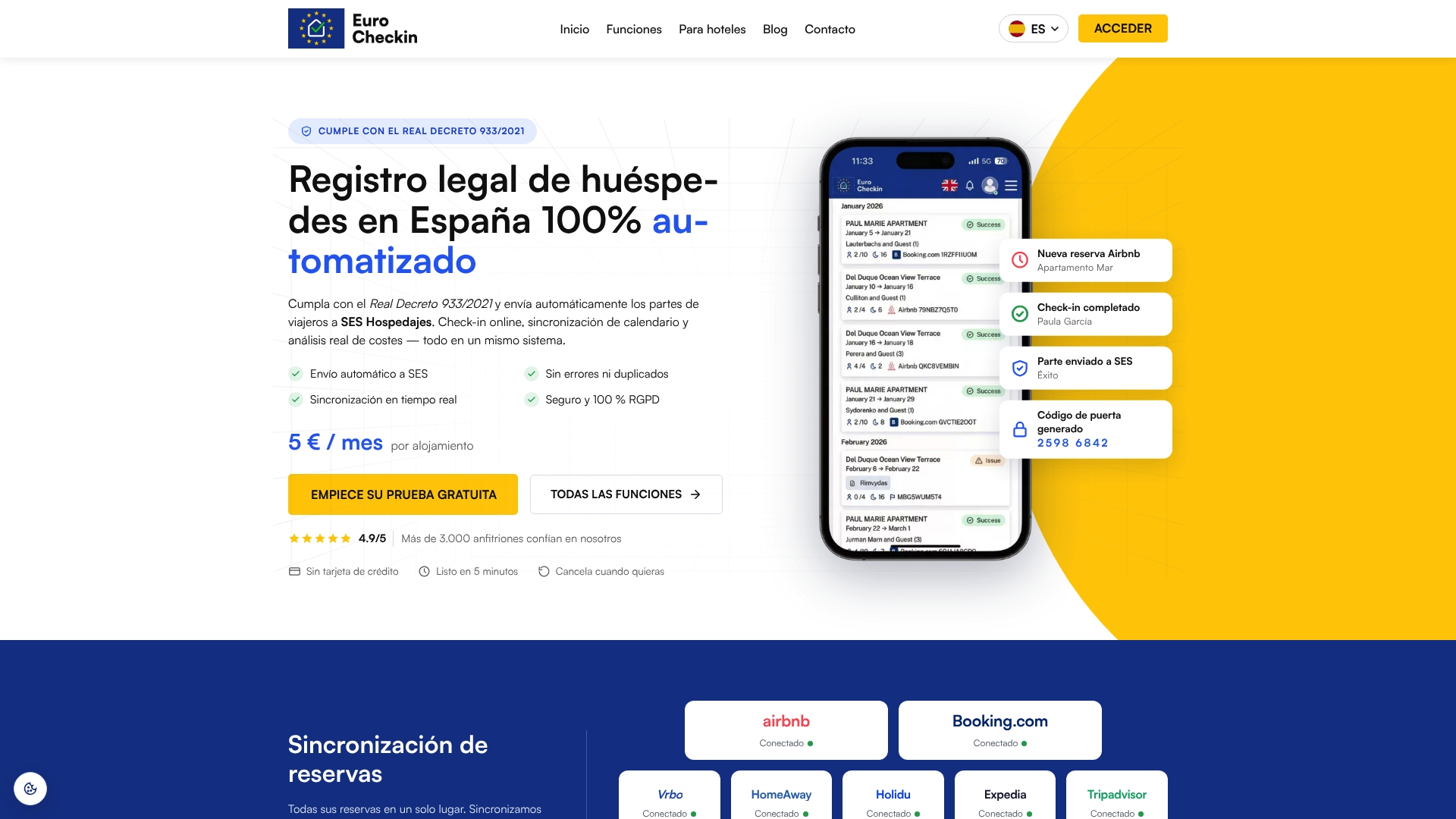
Start on the EuroCheckin page for accommodations, or see the hotel plan if you run rooms rather than apartments. If you want someone to handle your registration with SES Hospedajes, the registration service starts from €79 one-off per accommodation.
FAQ
How do I sync my cleaning schedule with Airbnb and Booking.com?
Connect both platforms to one master calendar, then have your cleaners work from that calendar. Each checkout becomes a cleaning slot using your fixed rules for checkout time, check-in time and cleaning duration. Do not keep a separate cleaning list that you update by hand.
How often does a synced calendar update?
It depends on the platform and the method. Calendar links are read at intervals of hours, not instantly, so a new booking can take time to appear elsewhere. Plan a buffer for same-day turnovers and read our guide on calendar sync latency for ways to shorten the delay.
What should I do about same-day turnovers?
Flag them in the calendar and set a stricter rule: a longer cleaning window, a second cleaner or no late checkouts. Decide the rule beforehand so you do not negotiate on the day. Use a buffer of at least 30 minutes between the end of cleaning and the check-in time.
Can the same calendar control cleaning and smart lock access?
Yes. When access codes are generated from each booking, you can issue the cleaner a code for the cleaning window only. EuroCheckin integrates with TTLock, Nuki and Yale smart locks, so access, check-in and calendar follow the same booking.