A good multilingual check-in form does three things: it asks only for the data Spanish law requires, it speaks each guest’s language in every label, error and confirmation, and it works on a phone in a taxi queue. If you run a holiday rental, hostel or hotel in Spain, the form is the first thing guests do for you and the source of the data you must report. Our platform gives you an unlimited, multilingual online check-in that sends guest data to SES Hospedajes, so you can focus on the design decisions below instead of building each language by hand.
TL;DR
- Collect only the traveler and transaction data the regulation lists. Do not ask for copies of the ID or passport.
- Let guests pick their language on the first screen, with each language named in its own language, and keep that language in every message that follows.
- Use one column, top-aligned labels, full-width fields on mobile and specific error messages that tell the guest how to fix the problem.
- Translate everything a guest reads, including buttons, placeholders, errors and confirmation emails, and test each language with native speakers.
- Data entered into SES Hospedajes must be in Spanish, so design the form to capture clean values that you can report without rewriting.
Table of Contents
- Start with what the form must collect
- Let guests choose the language on the first screen
- Translate everything a guest reads
- Layout that survives longer translations
- Error messages that help in any language
- Accessibility helps every guest, not only some
- Identity verification without extra friction
- Multilingual guest messages: keep the same standard
- How to test the form with native speakers
- Our view: one form, one data set, many languages
- Put it to work
- FAQ
- Sources
Start with what the form must collect
Design starts with content. In Spain, the registration duty comes from Real Decreto 933/2021, and the form exists to feed it. If you want the full legal picture, read our explanation of Real Decreto 933/2021 and the SES Hospedajes compliance guide.
For the form itself, two points matter:
- The data set is defined. According to a tourism cluster FAQ on traveler registration, you must collect the traveler data in Annex I.3 and the transaction data in Annex I.4. The same source notes that, under a draft order not yet approved, SES.HOSPEDAJES only requires the fields the system lists.
- Less is better. The Spanish data protection agency states in its note on the registration decree that a form, online or in person, collecting exclusively the required data is enough. Asking for copies of the ID card or passport would be excessive processing.
Every extra field costs you completion rate in every language. Before translating anything, cut the form down to the required fields. Our check-in form questions guide and the guest data checklist list what to ask and what to leave out.
Privacy information follows the same logic. The cluster explains that GDPR information should be given in layers: a basic notice during check-in and the full text in the privacy policy, on paper or digitally. In a multilingual form, that means the short notice appears in the guest’s language, with a link to the full policy.
Let guests choose the language on the first screen
Do not guess the language from the browser and leave it there. Browser settings are often wrong for travelers using a borrowed phone, a work laptop or a language they set years ago. Put a visible language choice on the first step.
Three details make it work:
- Name each language in its own language. Show Deutsch, Français, Italiano, Español and English, not “German” and “French” written in the current language. A guest who cannot read the current language can still find theirs.
- Use real links or buttons, not a flag-only menu. A flag stands for a country, not a language, and a Spanish flag does nothing for a Mexican or Argentine guest who wants Spanish. Text is clearer.
- Keep the choice visible after the first step. A guest who picked the wrong language should be able to switch without losing their answers.
There is also an accessibility benefit. A help page on multilingual forms from a form builder describes the pattern of language links named in their own language: because they are links, arrow-key navigation does not switch language by accident, and screen readers read each name in its own language.
The language choice should then follow the guest everywhere: the confirmation screen, the email that arrives after submission, the reminders and the arrival instructions. A guest who completes the form in Italian and then receives a Spanish-only confirmation has not been served.
Translate everything a guest reads
The most common failure is a form that is translated halfway. The labels are done, but the placeholder, the error message or the confirmation email still shows the source language.
Use this list as your translation scope:
| Element | Translate? |
|---|---|
| Questions and field labels | Yes |
| Help text and instructions | Yes |
| Placeholders and example values | Yes, where the example is language-specific |
| Buttons and step headings | Yes |
| Validation errors | Yes |
| Thank-you screen and confirmation email | Yes |
| Stored answer values (for example, a country code) | No, keep identical across languages |
| Icons | No |
The form-builder documentation cited above makes the same distinction: translate all text visitors read, while answer values, variable names and icons stay the same across languages. That separation protects your reporting. If “Alemania”, “Germany” and “Deutschland” all map to the same stored value, your data stays consistent.
This matters in Spain for a specific reason. The cluster FAQ states that data entered in SES.HOSPEDAJES must be in Spanish. The guest sees the form in their own language, but your system needs consistent values behind it. Design dropdowns for nationality, country and document type around fixed codes, and let free-text fields like names stay exactly as the guest writes them.
Write for people, not for translators
A grammatically correct translation can still fail. A usability guide on testing with Spanish-speaking users points out that users want instructions in everyday language and a clear sense of where they are in the process. A literal error such as “Verification could not be completed” does not tell them what to do. The same guide notes that tone, such as tú versus usted, should be tested, because mixing registers in one flow looks careless.
Practical rules for your copy:
- Say what to do, not what went wrong. “Enter your passport number as it appears on the photo page” beats “Invalid input”.
- Pick one register per language and keep it across the form and every message.
- Avoid idioms and abbreviations. They rarely survive translation.
- Keep sentences short. A short source sentence translates better and also helps guests reading in their second language.
Layout that survives longer translations
Spanish, German and Portuguese labels are usually longer than English ones, and some languages need right-to-left layouts. A layout built around the shortest English label will break.
The Volvo Cars web design system guidance on input fields is a clear, public reference. It recommends a top label by default because it gives longer translated labels room to grow, and it advises stacking fields vertically and making inputs full-width on mobile. It also calls for a label that screen readers can announce on every input, and for avoiding placeholders as a substitute for labels.
Translated into rules for a check-in form:
- One column, top to bottom. A single reading path avoids skipped or mis-paired fields. Side-by-side fields (first name next to surname) are where translated labels collide.
- Labels above fields, always visible. Never rely on placeholder text as the label. It disappears when the guest types, and it may be left untranslated.
- Full-width inputs on mobile. Most guests complete the form on a phone, often before arrival.
- Large touch targets. Buttons and radio options should be easy to tap with a thumb.
- Short sections. Split the form into logical steps: guest details, document, contact and arrival, terms. Each step shows only what it needs.
- Fonts that cover the characters you need. Accented Spanish letters, German umlauts and Cyrillic or Greek should all render. Check a name like “Ñuñez” or “Józef” in the actual font.
Do not break names, phones and dates
Local formats are where good forms fail quietly. A localization testing service notes that forms often reject valid local entries, such as phone numbers and postal formats, and that name order differs by market (Kosmo Research on localization testing). For a check-in form:
- Allow long names, spaces, hyphens, apostrophes and accents.
- Accept international phone numbers with a country prefix selector.
- Show the date format in the guest’s language and use a date picker, so “03/04” is not read as March in one country and April in another.
- Do not force a postal code format that does not exist in the guest’s country.
Error messages that help in any language
Validation is where multilingual forms lose guests. If a guest cannot understand why the form rejects an entry, they give up or send the details by chat, and then you type them by hand.
A few rules from published form guidance:
- Place the error directly below the field it describes, and never rely on color alone. The Volvo guidance and a form patterns reference both place errors at the field.
- Validate when the guest leaves the field, not on every keystroke. The patterns reference warns that checking an email on every keystroke flags “hello@” as invalid while the guest is still typing.
- On submit, move focus to the first error or to an error summary.
- Be specific. A hospitality accessibility article gives the example of a message that says exactly how many digits a passport number needs, instead of a generic “invalid” (Corpowid on travel accessibility).
An example in three languages shows the standard:
| Language | Weak message | Better message |
|---|---|---|
| English | Invalid document | Enter your passport number exactly as printed, with no spaces. |
| Español | Documento no válido | Escribe el número de pasaporte tal como aparece, sin espacios. |
| Deutsch | Ungültige Eingabe | Geben Sie die Passnummer so ein, wie sie im Pass steht, ohne Leerzeichen. |
Notice that each better message names the field, says what to do and avoids technical terms.
Accessibility helps every guest, not only some
Guests who read in a second language, who are tired after travel or who use assistive technology all benefit from the same practices. Spain’s public administration publishes an accessibility guide for electronic offices (version 3, June 2023). Its points for forms map directly onto check-in:
- A visible and programmatic label on every field, never only a placeholder.
- The language attribute set on each page or text block, so screen readers pronounce each language correctly.
- Full keyboard navigation with a visible focus.
- WCAG AA contrast: 4.5:1 for normal text and 3:1 for large text.
- Required fields marked in text, not only in color.
- Specific errors tied to the field, with a summary that receives focus.
- Short forms divided into logical sections, and an option to ask for help completing the form.
The Centre for Excellence in Universal Design in Ireland adds a useful writing tip: put clear instructions at the start and avoid technical phrases such as “required field”. Write “Required” or “Optional” in plain words, translated, next to each label.
The last point on the Spanish guide’s list, a way to ask for help, is easy to forget. Add a line at the bottom of the form with your contact option in the guest’s language, so a guest who is stuck has somewhere to go.
Identity verification without extra friction
The form must also fit how you confirm who the guest is. The AEPD note says that in person, the document can be checked visually, and online, authentication can use digital certificates, a check against the payment method or security codes sent to the phone or email. A multilingual form should explain whichever step you use in plain words: why you are sending a code, where it arrives and what to do if it does not. For the options in detail, see our guide to digital identity capture and our notes on check-in fraud prevention.

Multilingual guest messages: keep the same standard
The form is the first message. The ones that follow need the same discipline:
- Confirmation after check-in. It should arrive in the language the guest chose and say what was received and what happens next.
- Arrival instructions. Address, access method and a contact for problems, written in short, numbered steps.
- Rules of the property. If you use a digital contract or house rules, present them in the guest’s language. Our guide on digital signatures in hotels covers what the law allows.
- Guide to the property. A digital guide in several languages saves repeated questions. See our advice on a guest guidebook for Spain rentals and a QR code guest guide.
Build a message library once: a core set of templates, each reviewed by a native speaker, with placeholders for name, dates and access details. Do not translate on the fly with each booking. When a message changes, update every language in the same session, so one language does not drift from the others.
How to test the form with native speakers
Translation review is not testing. A reviewer checks the text. A tester checks whether a real guest can finish.
A practical routine:
- Pick your top languages. Use your booking history to choose the three or four nationalities you host most.
- Recruit native speakers who live in the market. The localization testing guidance above stresses native speakers on their own devices, reviewing buttons, labels and errors in context.
- Give realistic tasks. For example: “You arrive on Friday with two adults and a child. Complete the check-in.”
- Record what happens. Note completion, time taken, navigation errors and points of confusion.
- Run two rounds. The Spanish-user guide above suggests a small moderated round to find the big problems, then an unmoderated round on more devices to confirm the fixes.
- Check the full chain. Test the form, the confirmation screen and the email in each language, not only the first page.
The question to ask after each test is not whether the translation is correct, but whether a person from that country can finish the task, understand what happened and trust the process.
Our view: one form, one data set, many languages
We design check-in around one idea: the guest should see their language, and the host should receive Spanish-ready data.
That is why we built a multilingual online check-in with no limit on the number of check-ins, with smart links for Airbnb, Booking and Vrbo and instant notices when a guest completes the form. The guest fills in the form once. The data goes to SES Hospedajes under Real Decreto 933/2021, with no manual work and no duplicate records, and it is stored on secure infrastructure inside the European Union.
Hosts who manage several properties also want the form to look like their own business. We offer custom brand design for managers and boutique hotels, so the guest sees a familiar name from the first screen.
Our advice is to treat language as part of compliance, not decoration. A guest who understands each field gives accurate data the first time, and accurate data is what you report.
Sofía Herrera
Put it to work
EuroCheckin for accommodations costs 5 € per month per accommodation, with a free trial. It covers the multilingual check-in, the automatic report to SES Hospedajes, digital contracts with e-signature, a digital guest guide and calendar synchronization with Airbnb, Booking and more than 12 other platforms. For hotels, the plan is 3 € per month per room. If you would rather hand over the registration setup, our SES Hospedajes registration service starts from 79 € one-off per accommodation.
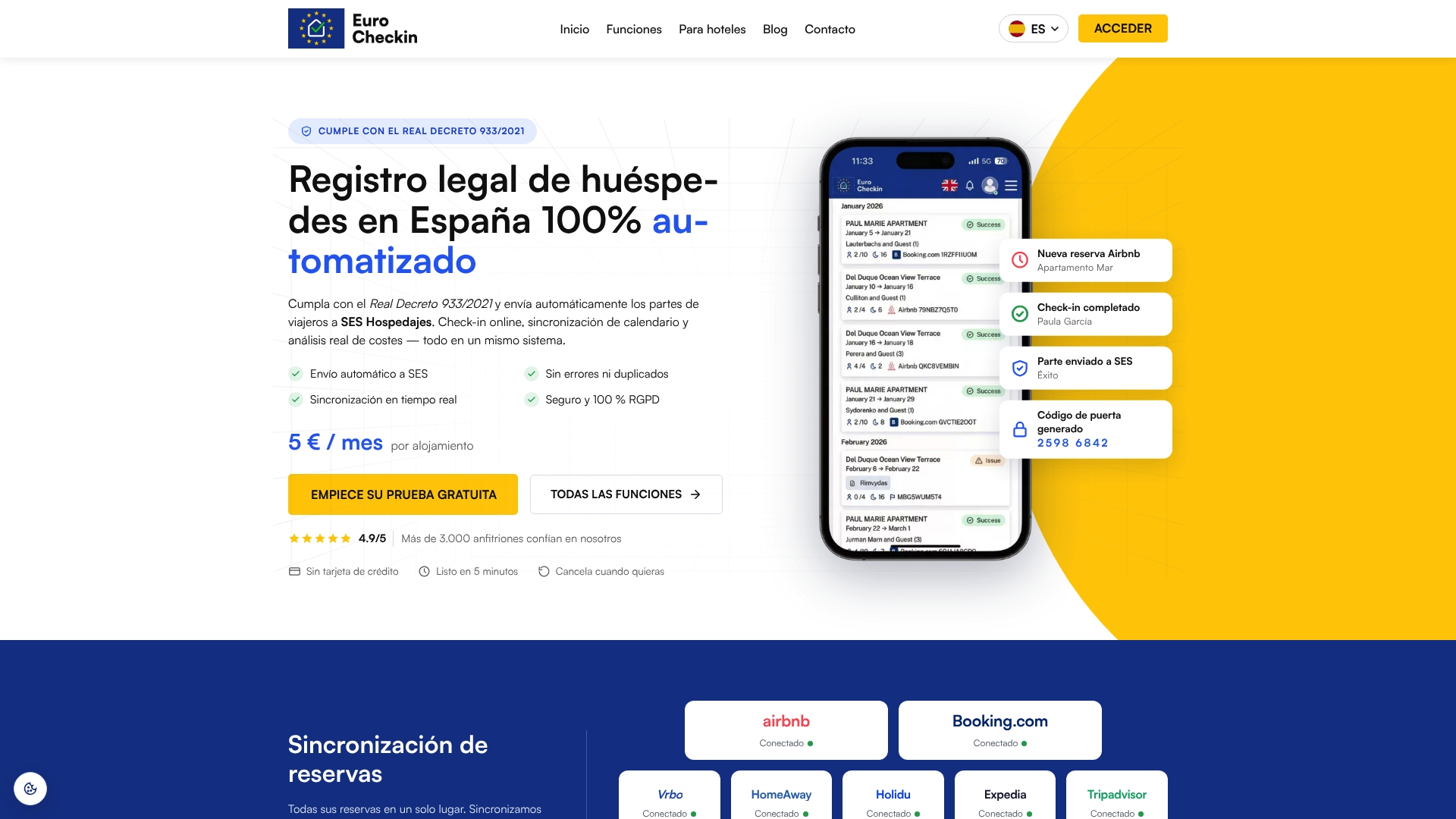
Start with EuroCheckin for accommodations, see the plan for hotels or review the SES Hospedajes registration service.
FAQ
Which languages should my check-in form support?
Start with the nationalities that appear most in your bookings, usually Spanish and English plus the two or three languages your guests use most. Add others as your booking mix changes. Our check-in is multilingual, so you can extend the list without rebuilding the form.
Can I ask guests to upload a photo of their passport?
The AEPD note says a form that collects exclusively the required data is enough, and that copies of the ID card or passport would be excessive processing. Design the form around the required fields and verify identity with the methods the agency lists, such as codes sent to the phone or email. See our guide to digital identity capture.
Does the data have to be in Spanish?
According to the tourism cluster FAQ, data entered in SES.HOSPEDAJES must be in Spanish. The guest can read and complete the form in their language, but the stored values, such as country and document type, should map to consistent codes you can report.
How do I test a translation if I do not speak the language?
Use native speakers who live in the market and give them a realistic task, such as completing a check-in for their own trip. Record whether they finish, how long it takes and where they hesitate. Test the confirmation email as well as the form.
Should the guest messages after check-in be translated too?
Yes. The confirmation, arrival instructions and house rules should follow the language the guest chose on the first screen. Keep a reviewed template for each language and update all of them together.
Sources
- Preguntas frecuentes: registro de viajeros y sus implicaciones (Clúster Turismo de Galicia)
- Nota de la AEPD sobre el registro de hospedajes
- Multilingual forms help page (Funnelforms)
- Usability testing with Spanish-speaking users (Paruma)
- Input fields usage (Volvo Cars Web Design System)
- Form patterns reference
- Localization testing with native speakers (Kosmo Research)
- Guía de accesibilidad en sedes electrónicas, versión 3
- Provide simple form instructions and feedback (Centre for Excellence in Universal Design)
- Accessibility for travel and hospitality (Corpowid)