
Calendar sync shares booked and blocked dates between platforms through an .ics link, on a schedule. A channel manager connects your property system to each booking platform directly and exchanges availability, rates, restrictions and reservation details. If you run one or two rentals on two or three platforms and only need dates blocked, calendar sync is usually enough. If you add platforms or properties, or need to control prices and minimum stays from one place, you need a channel manager. Many Spanish hosts end up using both, each on different listings.
This guide explains how each one works, where double bookings actually come from, and how to decide step by step.
TL;DR
- Calendar sync (iCal) copies booked and blocked nights between calendars through .ics links. It is free and simple, but it updates on a delay and does not carry rates or guest details.
- A channel manager exchanges availability, rates, restrictions and reservations with each platform and usually costs a recurring subscription.
- Rule of thumb: iCal fits one or two properties on two or three platforms. Move to a channel manager around three platforms or five properties, or when you need to sync prices and minimum stays.
- Never connect the same listing to the same platform both ways. Using iCal and a channel manager together on one listing can create duplicate bookings.
- Whatever you choose, the legal side stays the same: every guest still has to be registered with SES Hospedajes.
Table of Contents
- What calendar sync does
- What a channel manager does
- Calendar sync vs channel manager: side-by-side
- Where double bookings really come from
- When calendar sync is enough
- When you need a channel manager
- Can you use both?
- Check before you choose
- Perspective
- Calendar sync, check-in and legal registration
- How EuroCheckin fits
- A simple decision path
- FAQ
- Sources
What calendar sync does
Calendar sync links the calendars of different booking sites so a booking on one blocks the same nights on the others. Airbnb describes calendar sync as a connection between calendars through .ics links: nights that are booked or blocked in one calendar are blocked in the other, which reduces the risk of double bookings.
The mechanics are simple:
- Platform A gives you an export link (an .ics URL) for your listing.
- You paste that link into platform B as an imported calendar.
- Platform B reads the link at intervals and blocks the dates it finds.
- You repeat the process in the other direction.
The link is a passive file. It lists dates that are taken. It does not say who booked, how much they paid or what rules apply to the stay.
How often calendar feeds update
The delay is the central issue. Airbnb states that its calendar updates automatically every 3 hours, and that the interval can vary depending on the connected site. Other platforms poll on their own schedules, and as a general range feeds often refresh every 2 to 24 hours, with Airbnb typically at 1 to 3 hours.

That means a night can be booked on one platform and still appear available on another for hours. In a busy weekend in Barcelona, Valencia or Málaga, that window is long enough for a second guest to book the same dates.
What calendar sync does not do
- It does not sync prices, so a rate change on one platform must be repeated by hand elsewhere.
- It does not carry minimum stays or other stay restrictions.
- It does not pass guest names, contact details or special requests.
- It does not warn you when a link breaks. If a URL is changed or deleted, the calendar simply stops updating, and you may not notice until a clash happens. The hejGuide help center describes iCal as a passive availability blocker for this reason.
What a channel manager does
A channel manager is software that sits between your property and the booking portals. In its two-way form, it sends availability, rates and restrictions out to each channel and receives reservations, modifications and cancellations back. Instead of each platform polling a file, the channel manager talks to each platform through an official connection.
Booking.com’s partner documentation confirms that a connectivity provider can manage availability and rates and even set prices per number of guests. In practice, a channel manager can handle:
- Availability across every connected platform, updated far faster than a polling feed.
- Rates, so you change a price once and it flows to every channel.
- Restrictions, such as minimum stay or closed-to-arrival days, where the channel supports them.
- Reservation details, including guest information and special requests.
- Messages, on channels that allow them.
The limit is that each portal accepts different rules and data. A channel manager does not make all platforms identical. Before you commit, check channel by channel what is truly synchronized.
Calendar sync vs channel manager: side-by-side
| Criterion | Calendar sync (iCal) | Channel manager |
|---|---|---|
| How it connects | .ics link read on a schedule | Direct, two-way connection with each platform |
| Update speed | Delayed, from about 1 to 24 hours depending on the platform | Much closer to real time |
| Dates and blocks | Yes | Yes |
| Rates and minimum stays | No | Yes, where the channel supports it |
| Reservation details | No | Yes |
| Broken-link warnings | None | Typically handled in the tool |
| Cost | Included in the booking platforms | Recurring subscription |
| Best for | Few listings, few platforms | Growing portfolios, more platforms |
The cost point is real: a channel manager generally means a monthly fee, while calendar sync comes at no extra charge inside the booking platforms. Weigh the fee against what one double booking costs you in relocation, refunds and a damaged review.
Where double bookings really come from
Most double bookings with calendar sync are not random. They come from three causes you can control.

Polling delay. Two guests book the same night on two platforms within the update window. The first booking has not yet reached the second calendar.
Broken or missing links. A link was pasted in one direction only, or it stopped working after a listing was recreated. Test every link after you set it up, then check a few weeks later with a test block.
Mixed methods on one listing. The Booking.com partner guidance on avoiding double bookings notes that larger portfolios or hosts with intricate booking needs may be better served by an external channel manager or property management software. Separately, the hejGuide guidance warns not to sync the same listing to the same platform through both iCal and a channel manager, because this can cause duplicate bookings and availability conflicts.
If you use a channel manager, Booking.com also asks that the extranet and the channel manager stay synchronized, and that rooms, units and rates are mapped correctly. A wrongly mapped unit is a common source of errors after setup.
When calendar sync is enough
Calendar sync is a good fit when most of these are true:
- You manage one or two properties.
- You sell on two or three platforms, for example Airbnb, Booking.com and one more.
- Your prices rarely change, or you are happy to update them by hand.
- You use the same minimum stay everywhere.
- You want zero monthly software cost.
It also suits a niche platform that a channel manager does not support. iCal is free and suits simple setups, low-volume listings and those niche sites.
If you stay with calendar sync, reduce the risk:
- Connect every platform in both directions.
- Name each imported calendar clearly so you can spot a dead link.
- Block dates on one platform only when you are sure the others have updated, or block them on all of them.
- Check your calendars daily in high season.
When you need a channel manager
A practical threshold is around three platforms or five properties, or the moment you need rates and minimum stays to stay in step. Signs you have outgrown iCal:
- You have had a double booking, or came close to one.
- You spend time every week copying prices between platforms.
- You run seasonal pricing or last-minute discounts across several channels.
- You manage properties for other owners and need a reliable record for each.
- You want reservations and guest details to flow into one place automatically.
In Spain, volume is often what tips the decision. Holiday rentals on the Costa del Sol, the Balearic Islands or the Canaries can book out fast in summer, so a delay of a few hours matters more than it does in a quiet market.
Can you use both?
Yes, as long as you keep them on separate listings or channels. Typical combinations:
- A channel manager for your main platforms, plus iCal for a small platform it does not connect to.
- iCal on a second-home listing and a channel manager on your core portfolio.
The rule is one method per listing and platform pair. Pick the connection that is the main source of truth for each channel and do not duplicate it.
Check before you choose
Before you sign up for any channel manager, check these points as a Spanish operator:
- Platform compatibility. Confirm it connects to every platform you sell on, and that the connection is the official one.
- What is truly synchronized. Some channels accept stay restrictions, others limit rules or do not pass messages. Ask for the specifics per channel.
- Mapping. Make sure rooms, units and rates are mapped correctly in setup.
- Cost model. Find out whether the fee is per property, per room or per booking, and what happens when you add listings.
- Data protection. Reservation data contains guest personal data, so check where it is stored and who can access it. Our guide to booking calendar privacy in Spain covers what to look for.
Perspective
Hosts often ask us whether they should pay for a channel manager or keep using iCal. Our answer is that availability is only half of the work. A calendar that is perfectly aligned still leaves you with a guest who has to be registered, a contract to sign, a door code to send and a stay to coordinate.
That is why we built EuroCheckin as one platform around the guest journey. Calendar synchronization keeps your availability updated across Airbnb, Booking and more than 12 platforms, so you avoid overbookings without manual work. Then the same system takes the booking forward: online check-in in several languages, automatic reporting of guest data to SES Hospedajes, digital contracts with e-signature and a digital guest guide.
Our advice is to decide on the calendar question by portfolio size and pricing needs, and then make sure the rest of the process is automated. A fast calendar with a manual registration process still leaves you exposed.
Sofía Herrera
Calendar sync, check-in and legal registration
Calendar sync and channel managers solve availability. They do not register your guests. In Spain, accommodation providers must report traveler data under Royal Decree 933/2021, through SES Hospedajes. Our guide to SES Hospedajes compliance for Spanish hosts explains what you must do, and the guest data checklist lists what to collect.
This is why we suggest treating the calendar as the start of the booking, not the end. Once the dates are safe, the next steps are:
- Send each guest a multilingual online check-in link.
- Collect the required data and the signed house rules.
- Report the data to SES Hospedajes automatically.
- Send access instructions, or automate smart lock codes for each booking.
How EuroCheckin fits
EuroCheckin synchronizes calendars across Airbnb, Booking, Vrbo and more than 12 other platforms, and adds the guest-facing side on top: unlimited multilingual online check-in, SES Hospedajes reporting in line with RD 933/2021 and GDPR, digital contracts, a digital guest guide and integration with Nuki, TTLock and Yale smart locks. Data is hosted on secure infrastructure inside the European Union.
Pricing is per accommodation: plans for rentals start at €5 per month per property, and hotels pay €3 per month per room, with a free trial. If you only need help with the initial registration in SES Hospedajes, there is a one-off service from €79 per property.
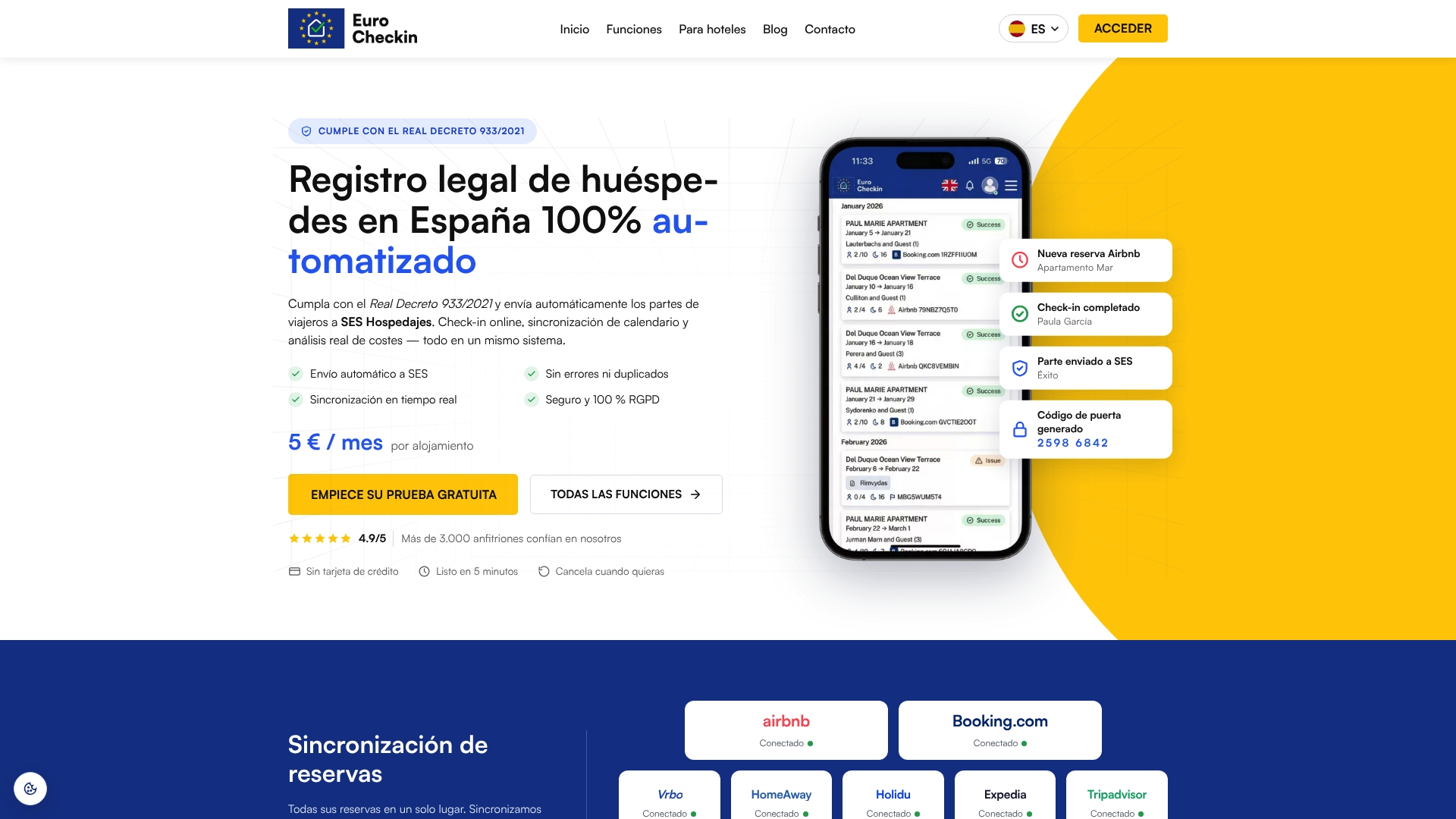
You can see the plans on the EuroCheckin page for rentals, or the hotel version if you manage rooms. If you want to add income once the basics run, our guides on guest upsells in Spain show what to sell and when.
A simple decision path
Use this order to decide:
- Count your platforms and properties. Two or three platforms and one or two properties: start with calendar sync.
- Look at your pricing. If you change rates or minimum stays often, plan for a channel manager.
- Check your history. Any double booking in the last year is a sign to upgrade.
- Pick one method per listing. Do not stack iCal and a channel manager on the same platform.
- Automate what comes after the booking. Check-in, registration and access should not depend on you being online.
FAQ
Is iCal sync reliable enough for a vacation rental?
For a small setup, yes, if you accept the delay. Airbnb says its calendar updates automatically every 3 hours, and other platforms have their own schedules. Test your links regularly, because a broken link gives no warning.
Do I need a channel manager for Airbnb and Booking.com only?
Not necessarily. With two platforms and one or two properties, calendar sync is often enough. A channel manager becomes useful when you want rates and minimum stays synchronized, or when the volume of bookings makes a delay risky.
Can I use iCal and a channel manager at the same time?
Yes, on different listings or channels. Do not connect the same listing to the same platform through both methods, because it can produce duplicate bookings and availability conflicts.
Does a channel manager handle guest registration in Spain?
A channel manager handles availability, rates and reservations. Registering travelers with SES Hospedajes is a separate legal duty, so you need a tool or process for it. EuroCheckin automates that step together with online check-in.
Sources
- Airbnb Help Center: syncing calendars
- hejGuide Help Center: iCal vs Channel Manager
- Booking.com for Partners: Rates and availability overview
- Booking.com for Partners: avoiding double bookings
- Booking.com for Partners: syncing the extranet and your channel manager
- Channel manager or iCal: what to choose, at what cost