



The single most effective approach is unglamorous: deliver a flawless stay, then ask for an honest review within 24 hours of checkout using a short, neutral message. Airbnb gives both sides a 14-day window to review each other, so timing matters as much as tone. Never offer a discount for a review and never ask for a specific star rating. Automate the ask, not the hospitality behind it.
TL;DR:
- Ensuring cleanliness and accurate listing details significantly increase the likelihood of receiving positive reviews from guests.
- A structured, three-step review request within 24 hours of checkout yields higher response rates than a single prompt on day 13.
- Automating check-in, checkout instructions, and review reminders improves operational consistency without sacrificing personalized hospitality.
- Regularly monitoring and fixing weaknesses in cleanliness, communication, and check-in processes help maintain high category scores and better search rankings.
- Responding publicly to negative reviews with concise acknowledgment and solutions demonstrates proactive host management and supports future guest confidence.
Table of Contents
- How Do You Get More Airbnb Reviews Through Better Operations?
- When Should You Ask a Guest for a Review?
- Should You Automate Your Airbnb Review Requests?
- What Operational Fixes Improve Review Recency and Category Scores?
- How Should You Respond to a Negative Airbnb Review?
- A 30-Day Sprint to Increase Review Velocity
- How Does the Airbnb Review System Actually Work?
- An Operations-First Take on Airbnb Reviews
- Let Automation Handle the Follow-Through
- Sources
- FAQ
How Do You Get More Airbnb Reviews Through Better Operations?
Most hosts treat the review request as the hard part. It isn’t. The hard part is giving guests something worth writing about, and that starts before they ever check in.
Cleanliness carries more weight than any other factor in a guest’s decision to leave a review at all. A spotless bathroom and a bed that matches the listing photos won’t guarantee five stars, but a dirty one guarantees a bad one. Accuracy runs the same direction: if your listing promises a “fully equipped kitchen,” it needs a can opener and enough pans to cook a real meal, not just a microwave and two mugs.
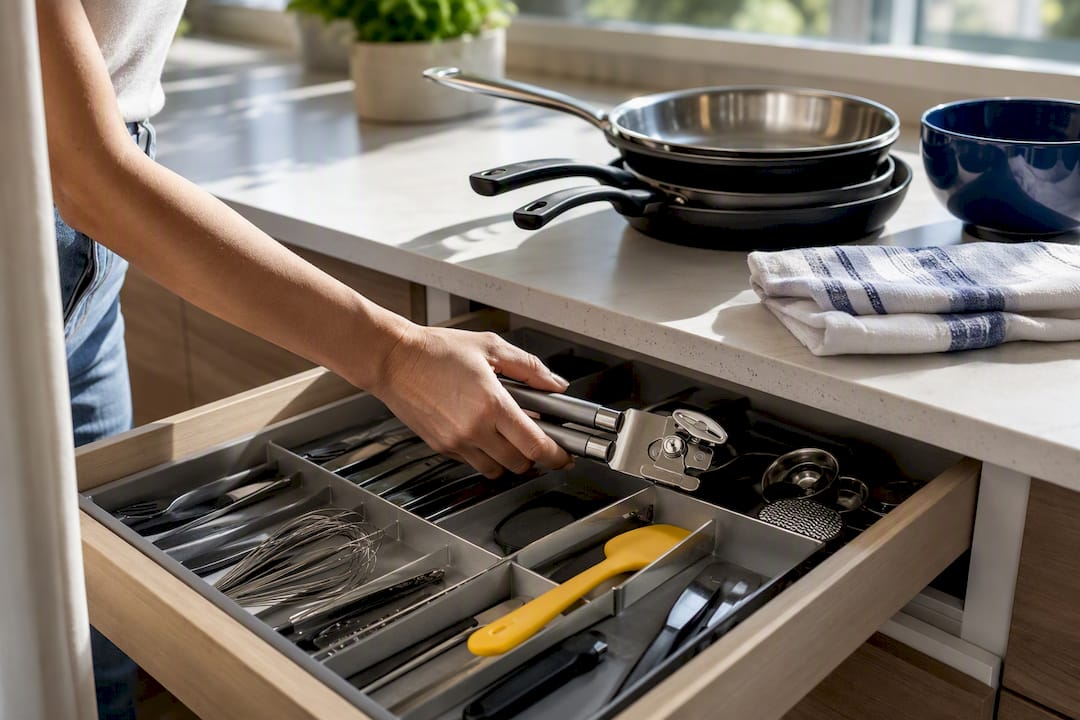
A documented cleaning checklist and reliable check-in flow reduce the negative surprises that tank ratings before a guest even settles in. Consistency is the goal, not perfection on one lucky weekend.
Small touches move the needle on what guests actually write in their reviews, not just the star rating:
- A one-page guide to two or three local spots you’d send a friend to
- Coffee, tea, and basic toiletries stocked on arrival, not just “available on request”
- A working, tested lock or keypad so nobody stands outside in the rain reading instructions twice
- A clear note on trash pickup, Wi-Fi password, and quiet hours, posted somewhere obvious
Pro Tip: Ask yourself what you’d complain about if you paid for this stay yourself. Fix that thing first. It’s almost always cheaper to fix than to explain away in a review response.
Booking frequency plays into this too. A property that sits empty for stretches accumulates stale reviews, and review recency carries more weight in Airbnb’s ranking than a large but aging review count. Keeping your calendar active with appropriate minimum-stay rules helps maintain a steady flow of new, positive feedback.
When Should You Ask a Guest for a Review?
Airbnb opens a 14-day window after checkout during which both guest and host can leave a review, and reviews only publish once both sides have submitted theirs or when the reviewing period ends. Waiting too long to ask means guests forget the details that made their stay stand out, and the specifics are what future bookers actually read.
A three-step message cadence outperforms a single blunt ask sent on day 13:
- At checkout: send a short thank-you message, no review mention yet. Keep it warm and specific to their stay.
- Within 24 hours: send the actual review request. This is the highest-response window, since the stay is still fresh in the guest’s mind.
- Around day 10 to 12: send one polite reminder only if they haven’t reviewed yet, limiting follow-ups to avoid over-contacting.
Keep the wording neutral. Ask for “honest feedback about your stay” rather than “a five-star review” or “a great rating.” Airbnb’s policy prohibits soliciting a specific score or offering anything in exchange for a review, and violating that can put your listing at risk.
Send the request through Airbnb’s own messaging system, not personal email or text. It keeps the conversation inside the platform’s privacy protections and matches guest expectations about where hosting communication happens.
Should You Automate Your Airbnb Review Requests?
Automating the logistics frees you to focus on the parts of hosting that actually need a human touch. Arrival instructions, checkout reminders, and the neutral review nudge are all safe to schedule ahead of time.
What you shouldn’t automate is the appearance of a form letter. A message that starts “Dear Guest” and never changes reads as exactly what it is.
- Automate arrival details, Wi-Fi info, and checkout instructions so nothing depends on your memory
- Automate the 24-hour review reminder, but insert the guest’s first name and one specific detail from their stay
- Never automate a message that mentions star ratings, discounts, or free nights in exchange for a review
- Use calendar sync tools to avoid double-bookings that lead to canceled stays and the review-killing chaos that follows
Pro Tip: Keep one custom line in every automated message, something like “Hope the rooftop view was worth the extra stairs.” That single sentence is often what separates a template from a message that gets a reply.
Reliable delivery matters more than people assume. If your review request never sends because a platform sync failed, the entire cadence collapses. Tools built for multilingual guest messaging and check-in exist specifically to keep this handoff from depending on you remembering to hit send at midnight.
What Operational Fixes Improve Review Recency and Category Scores?
Airbnb ranks listings partly on category scores like cleanliness, check-in, accuracy, communication, location, and value, not just an overall star average. A listing that scores well across categories tends to outrank one with the same overall rating but weak spots in one area.
A few fixes address most of what drags those scores down:
- Write a cleaning checklist with a verification step, someone actually checks the work before the next guest arrives
- Test your check-in method (smart lock, lockbox, or in-person) monthly, not just when a guest complains
- Set an internal standard for response time and keep templates ready for the ten questions guests ask most
- Review your category scores monthly and treat any repeated low score as an open ticket, not bad luck
Small, multialojamiento operations especially benefit from standardizing these steps across properties rather than fixing issues one listing at a time.
How Should You Respond to a Negative Airbnb Review?
A public response matters more than most hosts think, because future guests read it as proof of how you handle problems, not just whether one happened.
Save formal disputes for reviews that violate Airbnb’s actual content policy, discriminatory language, factual falsehoods, or content unrelated to the stay. Airbnb allows hosts to submit a report through its dispute process for exactly these cases. A guest simply disliking the noise level next door isn’t grounds for removal.
For everything else, respond publicly, briefly, and without defensiveness:
- Acknowledge the specific issue in one sentence
- State the fix, if there is one, in plain terms
- Skip the excuses and the guest’s name repeated three times for effect
Pro Tip: Use private feedback and low category scores as your actual to-do list. If three guests in a row flag slow Wi-Fi, that’s not an opinion problem, it’s a router problem.
Once you’ve made the fix, mention it briefly in your listing description. Guests notice when a host actually listens.
A 30-Day Sprint to Increase Review Velocity
Small fixes compound faster than most hosts expect when they’re sequenced properly instead of tackled all at once.
- Week 1: Audit listing photos and description for accuracy; fix anything overstated or outdated.
- Week 2: Test the full check-in flow yourself, start to finish, as if you were a guest arriving at 11pm.
- Week 3: Set up your three-step messaging cadence (thank-you, 24-hour ask, day-10 reminder) and personalize the templates.
- Week 4: Review category scores and recent guest feedback, then fix the single most-repeated complaint.
Track progress with three numbers: booking frequency, review recency (how many reviews landed in the last 30 days), and your weakest category score. If bookings are sparse, adjusting your minimum-stay length or nightly rate can restart momentum faster than any messaging tweak.
How Does the Airbnb Review System Actually Work?
Reviews publish only after both guest and host submit within Airbnb’s 14-day window, or after both sides have submitted, whichever comes first. Miss the window and that review opportunity is gone permanently.
Listings with strong, recent reviews and high category scores tend to rank higher in Airbnb search results than listings with a large but aging review history.
A few policy lines matter more than hosts realize:
- Never offer a discount, refund, or free night in exchange for a review, this violates Airbnb’s terms directly
- Never ask a guest to leave a specific star rating or number
- Guest Favorites and top search placement depend heavily on consistent high category scores, particularly cleanliness and check-in
- A single weak subcategory score can suppress visibility even when the overall rating looks fine
An Operations-First Take on Airbnb Reviews
Most advice about getting more Airbnb reviews treats the review request as the lever to pull. It isn’t. The stay itself is the lever, and the message afterward just reports what already happened.
Automation gets a bad reputation among hosts who worry it makes hospitality feel mechanical. Used correctly, it does the opposite: it frees you to focus on the guest standing in front of you instead of scrambling to remember whether you sent the checkout instructions. Systems protect hospitality. They don’t replace it.
— Sofía Herrera
Let Automation Handle the Follow-Through
Every tactic in this guide depends on consistency, and consistency is exactly what breaks down once you’re managing more than one or two properties by memory. A digital platform handles the operational backbone, multilingual online check-in, automatic arrival notifications, and calendar sync across Airbnb, Booking, Vrbo, and over a dozen other platforms, so the messaging cadence that drives reviews never depends on you being at your phone at the right hour.

A digital house guide answers the questions guests usually message you about at 10pm, and smart-lock integration means check-in runs the same way every time, whether you’re on-site or three time zones away. None of this replaces the personal touch that earns a five-star review. It just makes sure the personal touch actually reaches the guest on schedule. See how these pieces fit together on the platform’s check-in features page and start a free trial to test the cadence on your own listings.
Sources
This guide draws on Airbnb’s own policy and ranking documentation, including its reviews policy, search ranking factors, and guidance on reviews for homes. Additional context on host review strategy and Airbnb’s ranking behavior comes from Airbnb SEO in 2026 and how the Airbnb algorithm works in 2026.
FAQ
What is the 80/20 rule in Airbnb?
Fixing that small set of recurring issues tends to improve reviews faster than chasing every possible upgrade.
How do you increase your Airbnb views?
Accurate photos, competitive pricing, and strong recent reviews all feed into Airbnb’s search ranking, so improving category scores and keeping your calendar active both help visibility. Consistent bookings also keep your review history recent, which ranking favors over a large but stale review count.
How do I get into the top 10% on Airbnb?
Top-ranked listings typically maintain high scores across every review category, not just an overall average, along with consistent recent reviews and strong host responsiveness.
Are Airbnb bookings declining?
Booking trends vary widely by market, season, and property type, and no single figure applies across all listings. Hosts who keep pricing flexible and minimum stays reasonable tend to maintain steadier booking frequency regardless of broader market shifts.
Can I ask a guest to change a review after it’s posted?
You can message a guest to ask about their experience, but Airbnb does not allow incentivizing a review change. If the review violates Airbnb’s content policy, filing a dispute is the appropriate path instead of asking the guest directly.


