


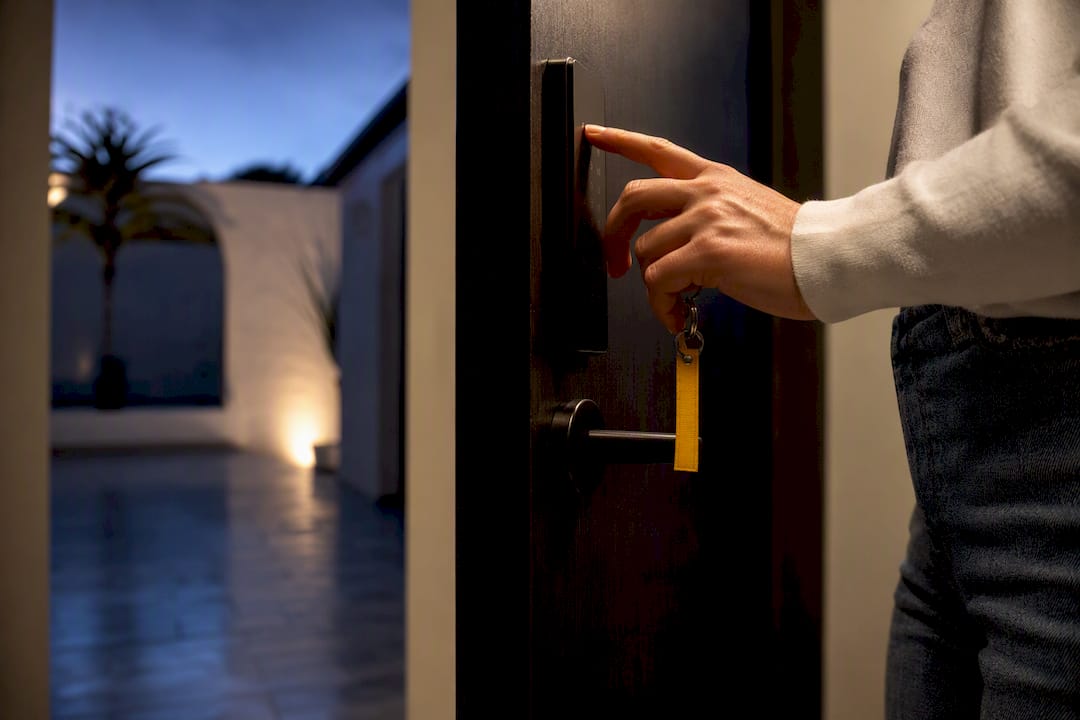
TTLock gives vacation rental hosts code-based guest access: PINs, app keys, RFID, and on some models, fingerprint entry. Automation is possible, but real-time remote control and instant unlock logs only work when a lock is connected through a gateway or Wi-Fi, since Bluetooth-only locks depend on someone syncing nearby. Pair TTLock with a PMS or check-in platform, and you can generate and revoke guest codes automatically instead of managing them by hand.
TL;DR:
- TTLock only allows remote unlocks, live logs, and firmware updates if connected through a gateway or Wi-Fi; Bluetooth-only locks lack these capabilities.
- Hosts managing multiple properties should use gateways and TTHotel mode to handle high guest turnover, staff access tiers, and scaled code management effectively.
- The maximum number of passcodes a single TTLock device can store is 250, so regular cleanup of expired codes is essential to avoid storage errors.
- Automated code creation and revocation require a developer account and setup, including testing for correct templates, timezones, and full reservation cycles before going live.
- EuroCheckin integrates TTLock automation with legal compliance, calendar synchronization, and guest registration reporting, reducing manual workload and compliance risks.
Table of Contents
- What TTLock provides for rentals: features and limits
- How automation works: PMS and API flows that create and revoke guest codes
- Connectivity trade-offs: gateway vs Bluetooth-only locks and how logs behave
- Choosing mode and hardware: standard TTLock app vs TTHotel and Wi-Fi vs gateway
- Practical setup checklist: steps to implement TTLock automation reliably
- Common pitfalls and quick fixes
- How EuroCheckin ties TTLock automation into legal, compliant check-in workflows
- Author’s short recommendation
- EuroCheckin: automate guest access, SES reporting and compliance
- Sources
- FAQ
What TTLock provides for rentals: features and limits
TTLock covers the access methods most hosts need without extra hardware. You get one-time PINs, permanent or period-limited codes, Bluetooth app keys sent through the guest’s phone, RFID cards, and fingerprint recognition on compatible models. Each method suits a different guest type: a one-time PIN for a weekend booking, a permanent code for a cleaning team, an app key for a returning guest who already has the TTLock app installed.
The catch is what happens off Bluetooth range. Remote unlocks, firmware updates and live logs all require a gateway or Wi-Fi connection. Without one, the lock still works locally, but you cannot check who entered last night from your phone, and any code changes must be pushed while you’re standing near the door.
- One-time and period passcodes work well for single bookings with fixed check-in and checkout windows.
- Permanent codes suit staff, owners or long-term tenants who need standing access.
- Bluetooth app keys and RFID cards give guests a backup method when a PIN fails.
- Fingerprint access is available only on locks built with a fingerprint sensor.
Each TTLock device stores up to 250 passcodes before returning a storage error. For a high-turnover rental, that ceiling matters more than it sounds, and expired codes need regular cleanup to avoid hitting it.
How automation works: PMS and API flows that create and revoke guest codes
The automation loop starts the moment a reservation is confirmed and ends when the guest checks out. Here’s the sequence most integrations follow:
- A reservation lands in your PMS or check-in platform, which triggers a server-side call to the TTLock open platform API or to TTHotel if you’re running that mode.
- The API call creates a timed passcode tied to a specific lock ID, valid only for the guest’s stay dates.
- The generated code is inserted into an email or SMS template, using placeholders for the room number, lock name and validity window.
- At checkout, the system sends a matching API call to deactivate the code, freeing up space in the lock’s passcode storage.
Getting this working requires a developer account with a client_id and client_secret, unless you use the TTHotel integration path, which handles much of that setup for you. Either way, the passcode API supports several add types: Bluetooth for local writes, gateway or Wi-Fi for remote writes, and asynchronous modes for power-saving Wi-Fi locks that only check in periodically.
Template design matters more than hosts expect. A guest who receives a code with the wrong timezone or a broken placeholder will call you, not troubleshoot it themselves.

Connectivity trade-offs: gateway vs Bluetooth-only locks and how logs behave
A gateway bridges your Bluetooth locks to the cloud, which is what makes near real-time uploads of unlock records and remote commands possible. Without one, a Bluetooth-only lock stores its history locally, and someone has to walk up and sync it through the app before you see anything.
- Gateway-connected locks upload entry and exit events, battery status, and unlock history without anyone on-site.
- Bluetooth-only locks require a manual upload data sync, which risks missing records between visits.
- Gateways select the best available Bluetooth signal to each lock, but proximity and obstructions still affect reliability.
- Remote commands run one at a time through the gateway, so a busy gateway can delay or reject a request.
Gateway-connected setups process remote unlock commands with a delay of several seconds, and can return a busy error if too many requests queue up at once. For a single unit that’s rarely noticeable. Across a portfolio of units on one gateway, it becomes a scheduling problem. Hosts running several properties often do better with multiple gateways spread across floors or buildings rather than one gateway serving everything, since signal contention grows with distance and wall count.
Choosing mode and hardware: standard TTLock app vs TTHotel and Wi-Fi vs gateway
A solo host managing one or two units rarely needs more than the standard TTLock app and a Bluetooth lock. You unlock remotely when you’re near a gateway or skip the gateway entirely and rely on codes you set in advance.
Property managers running multiple units face a different problem: staff need different access levels, and guest turnover is constant. TTHotel mode is built for that scale, with hotel-style permissions and a workflow designed for high-volume check-ins rather than one-off bookings.
- Standard app mode: fine for single units, low guest volume, occasional remote checks.
- TTHotel mode: built for multi-unit operations needing staff tiers and scaled code issuance.
- Gateway-connected hardware: adds cost and setup time but enables remote diagnostics and live logs.
- Wi-Fi locks: skip the gateway but often cost more and drain batteries faster.
Pro Tip: Match the hardware to your staffing model first, not the other way around: a gateway is only worth the setup time if someone actually needs to check logs remotely.
Practical setup checklist: steps to implement TTLock automation reliably
Getting from a boxed lock to a working automation loop takes a handful of deliberate steps, and skipping one usually shows up as a guest complaint later.
- Create a TTLock account and decide your integration path: open platform API or TTHotel.
- Obtain your client_id and client_secret if you’re going the open platform route.
- Initialize each lock in the app and record its lock ID for later mapping.
- Map lock IDs to units inside your PMS or check-in tool.
- Install and register any gateways you need for remote logs and commands.
- Test remote unlock, log callbacks and offline fallback behavior before going live.
Once the technical pieces are in place, run these checks before your first automated arrival:
- Confirm code-delivery templates render correctly with real reservation data.
- Verify timezones match between the lock, the gateway and your booking system.
- Walk through one full reservation-to-code cycle end to end.
Common pitfalls and quick fixes
Most access failures trace back to a small set of causes, and each has a fast fix once you know what to look for.
- Passcode storage full: watch for error -3009 and schedule automated pruning of expired codes so you never hit the 250-code ceiling.
- Timed codes rejected: check the lock’s internal clock and timezone setting first; a few minutes of drift is enough to break a period code.
- Gateway offline or weak signal: confirm Bluetooth range to the lock, reinitialize the gateway if needed, and keep a manual fallback ready.
- Guest locked out: attempt a remote unlock, then fall back to a backup mechanical key, an SMS code, or an on-site contact who can respond quickly.
How EuroCheckin ties TTLock automation into legal, compliant check-in workflows
EuroCheckin connects the operational side of TTLock automation to the legal side hosts also have to manage. It issues codes automatically, syncs calendars across more than a dozen booking platforms, and files guest-registration data with SES Hospedajes as required under RD 933/2021, all without a manual step from the host.
- Fewer manual actions per booking, since code issuance and reporting run on the same trigger.
- Guest registration data reaches SES Hospedajes on time, reducing compliance risk.
- Arrival control happens in real time, and calendar sync across platforms cuts overbooking risk.
In practice, this means mapping each reservation to a lock ID once and letting the PMS integration handle the rest, with data handling built around GDPR requirements from the start.
Author’s short recommendation
If you manage one or two units, start simple: a Bluetooth lock and the standard TTLock app, adding a gateway only once you actually need remote logs. If you’re running several properties, a gateway or Wi-Fi setup paired with integrated check-in software will save you far more time than it costs to configure. Either way, run one full reservation-to-code cycle before trusting automation with a real guest arrival.
— Sofía Herrera
EuroCheckin: automate guest access, SES reporting and compliance
Running TTLock automation well means solving two problems at once: getting guests through the door and staying compliant with guest-registration law. EuroCheckin handles both from a single accommodation plan, with subscription plans available per accommodation, so you’re not stitching together separate tools for access and paperwork.

- Time-limited codes go out automatically once a booking is confirmed, no manual entry required.
- Calendar sync across Airbnb, Booking, Vrbo and other platforms keeps availability accurate and cuts overbooking risk.
- SES Hospedajes reporting files itself in the background, keeping your registration record compliant without extra admin time.
If you’d rather see the SES Hospedajes side on its own, EuroCheckin also offers dedicated registration reporting as a service. Check availability and pricing on the EuroCheckin site to see which setup fits your portfolio.
Sources
For anyone building or troubleshooting an integration, these are the references worth bookmarking:
FAQ
Does TTLock work without a gateway for vacation rentals?
Yes, but only locally. A Bluetooth-only TTLock lock still accepts PINs and app keys, but remote unlocks, live logs and firmware updates all require a gateway or Wi-Fi connection.
How many passcodes can a TTLock device store?
A single TTLock device stores up to 250 passcodes before returning a storage-full error. Hosts running frequent turnover should prune expired codes on a schedule to avoid hitting that limit.
What’s the difference between TTHotel mode and the standard TTLock app?
The standard TTLock app suits single units or small portfolios with occasional remote access needs. TTHotel mode adds staff access tiers and workflows built for high-volume, multi-unit management.
Can EuroCheckin automate both TTLock access and legal guest registration?
Yes. EuroCheckin issues time-limited TTLock codes automatically on booking confirmation and files the required guest data with SES Hospedajes in the same workflow.
What causes a TTLock timed passcode to fail?
The most common cause is a mismatch between the lock’s internal clock and the intended validity window, often from timezone drift. Checking device time during setup and after battery changes prevents most of these failures.


