


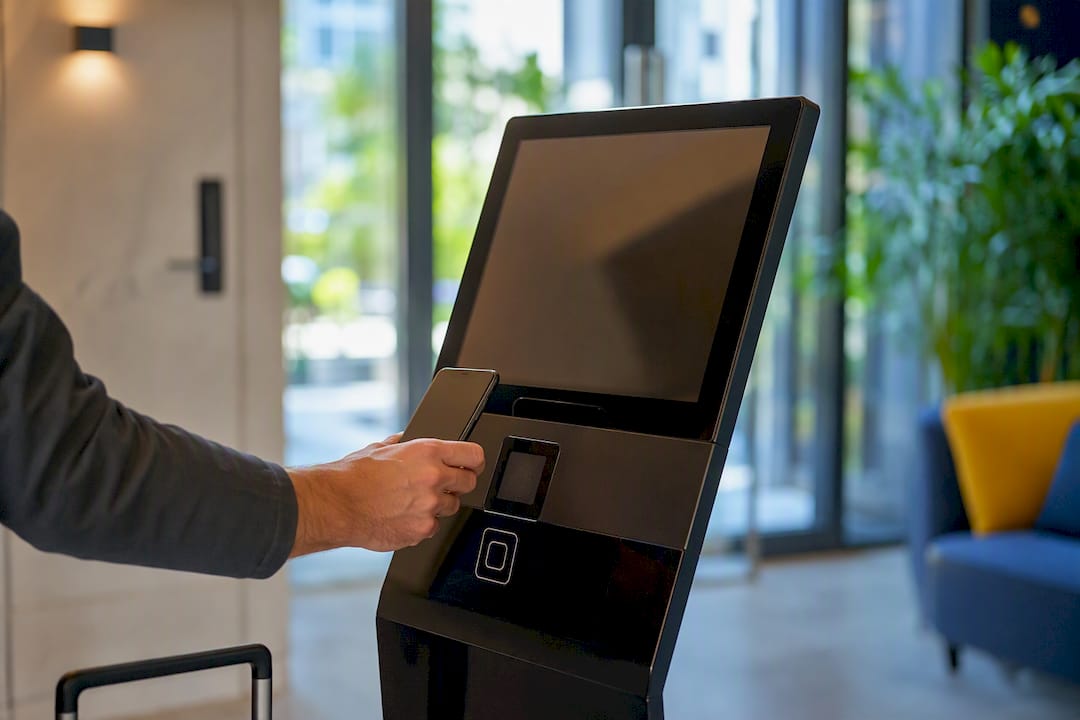
Hotel self check-in lets you register your arrival and get your room key without waiting at a front desk, using a kiosk, a mobile link, or a keyless entry app. It works whether you’re staying at a boutique property or a large chain, and platforms like EuroCheckin power the compliance side for many properties by handling guest data reporting under Spain’s Real Decreto 933/2021 and GDPR.
Before you arrive, do three things:
- Check your confirmation email or booking app for a check-in link, code, or kiosk instructions.
- Have a valid photo ID and payment card ready, even for a “contactless” process.
- Save your booking reference and any QR code offline, in case your signal drops on arrival.
Key Takeaways
Hotel self check-in replaces front-desk waits with a kiosk, mobile link, or keyless entry, and preparation before arrival is what makes it fast.
| Point | Details |
|---|---|
| Know your format | Confirm whether your hotel uses a kiosk, mobile check-in, or keyless entry before you travel. |
| Carry the essentials | Bring a valid photo ID, payment card, and your booking confirmation to every arrival. |
| Save codes offline | Screenshot your QR code or PIN in case Wi-Fi or signal fails at the hotel. |
| Know your data rights | Under GDPR, ask any Spanish property how your ID data is used and transmitted. |
| Ask about EuroCheckin-powered properties | Hotels using EuroCheckin automate SES Hospedajes reporting, so your registration is handled digitally and compliantly. |
Table of Contents
- How Does Hotel Self Check-In Actually Work?
- What Are the Main Types of Self Check-In?
- How Do You Complete Kiosk or Mobile Check-In?
- What Should You Have Ready Before You Arrive?
- What Are the Benefits of Self Check-In for Guests?
- What Do You Do When Self Check-In Goes Wrong?
- What Legal and Data Rules Apply to Self Check-In in Spain?
- A Faster, Fully Compliant Check-In Starts With the Right Software
- Sources
- FAQ
How Does Hotel Self Check-In Actually Work?
The process usually starts before you even leave home. Once you book, the property sends a scheduled message with a link to complete registration, verify your identity, and view arrival instructions.
The flow typically runs in this order:
- You book the room and receive a confirmation.
- A pre-arrival message arrives with a check-in link, usually 24 to 72 hours before your stay.
- You verify your identity, often by uploading an ID photo or a selfie.
- The system issues your access credential: a digital key, a PIN code, or a physical card waiting at a kiosk.
- You head straight to your room.
Identity verification varies by property. Some hotels ask for a simple ID photo upload. Others run a biometric check, comparing your selfie against your ID image to cut down on fraud. On-site, you might instead scan a QR code at the door or feed your passport into a kiosk scanner.
- Digital key delivered straight to your phone’s wallet app
- A one-time PIN typed into a smart lock keypad
- A plastic key card dispensed by the kiosk itself
What Are the Main Types of Self Check-In?
You’ll run into three formats, and recognizing which one your hotel uses ahead of time saves you a confused ten minutes in the lobby.
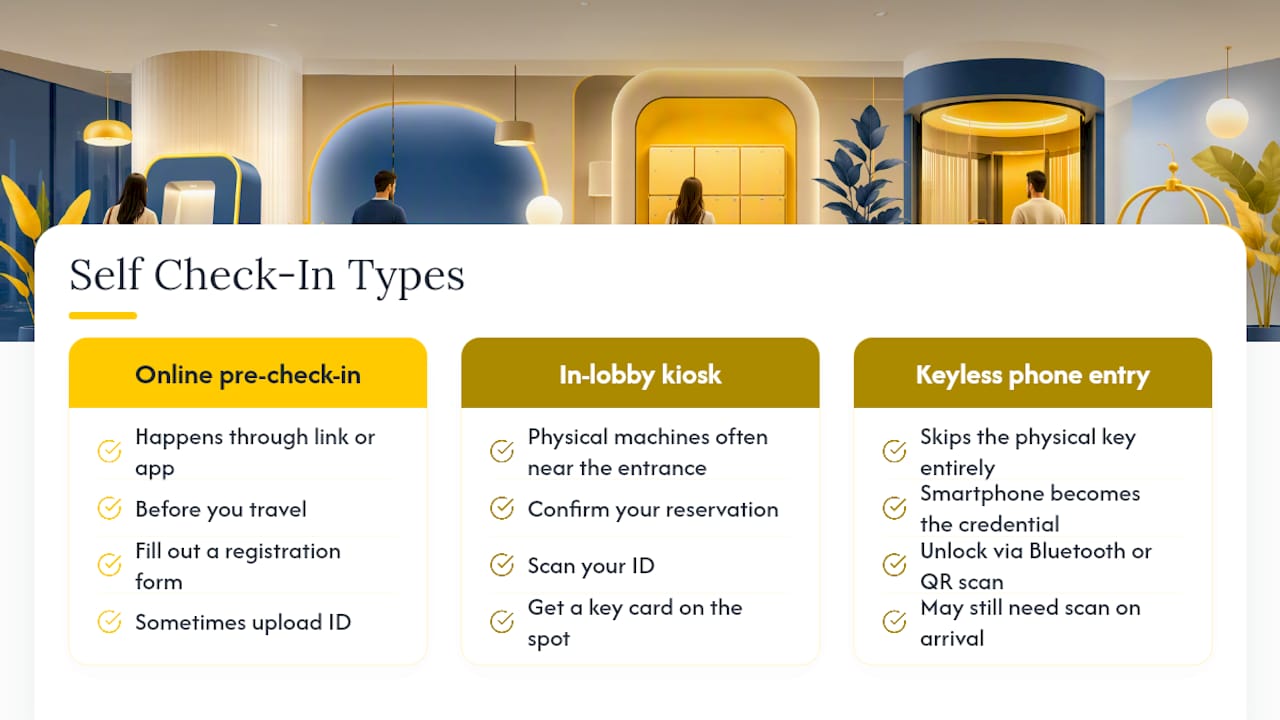
Online or mobile pre-check-in happens through a link or app sent before you travel. You fill out a registration form, sometimes upload ID, and receive instructions or a code in advance.
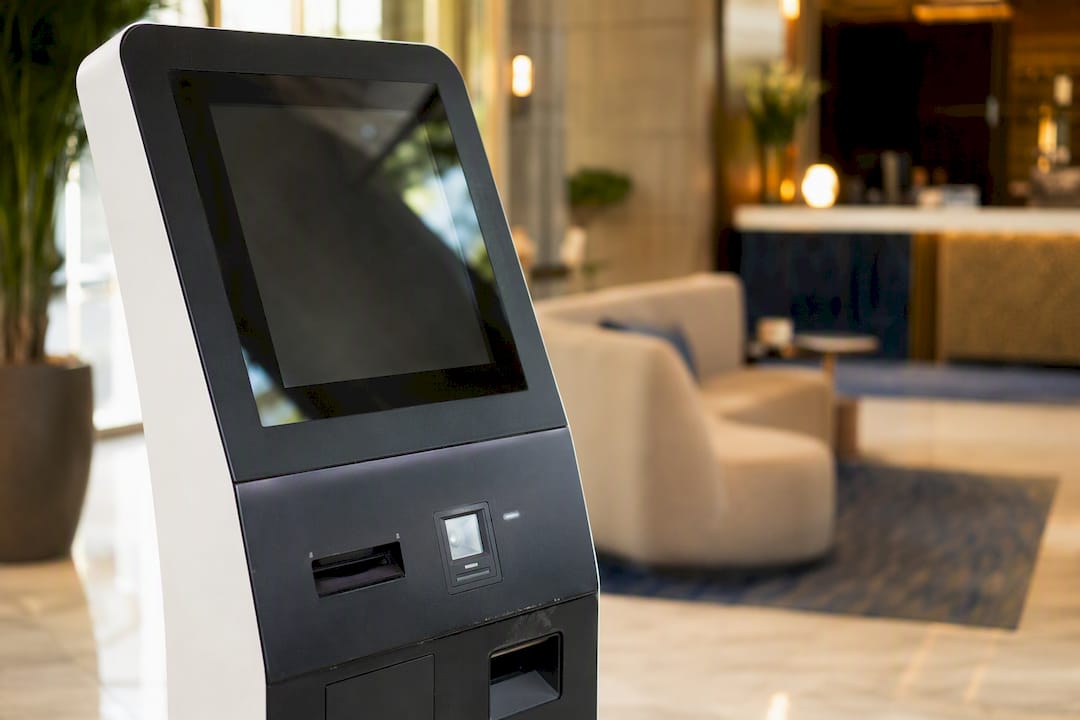
In-lobby kiosks are physical machines, often placed near the entrance, where you confirm your reservation, scan your ID, and get a key card on the spot. Some properties even keep a dedicated automated check-in device near the main entrance for guests arriving after reception closes.
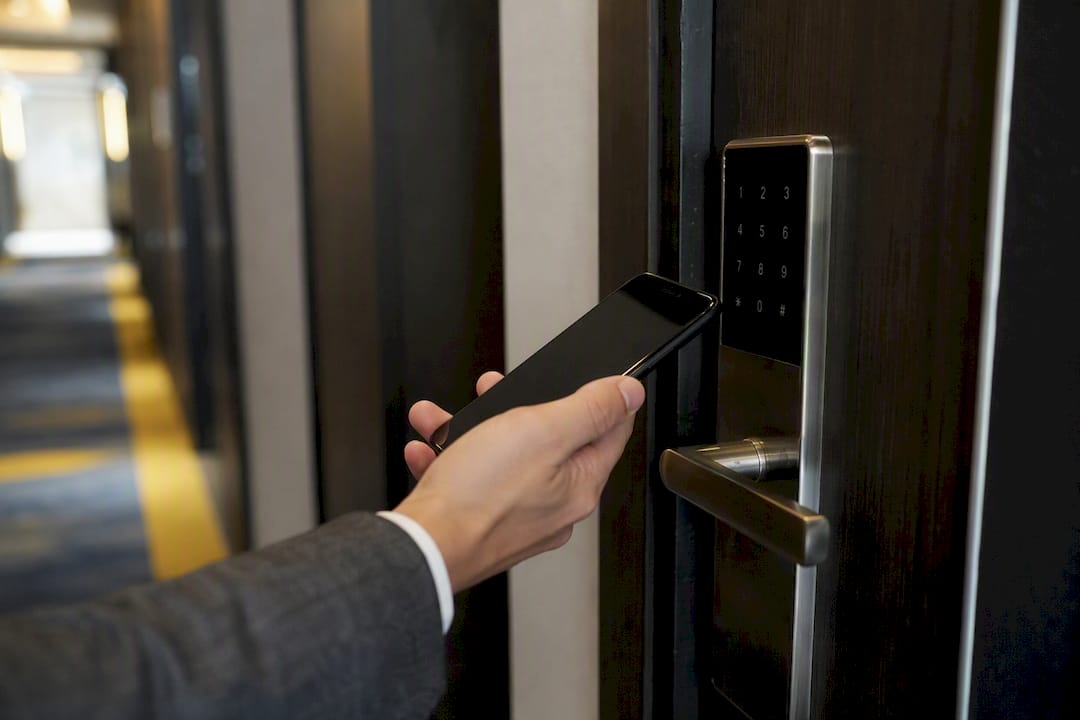
Keyless or phone-based entry skips the physical key entirely. Your smartphone becomes the credential, unlocking the door through Bluetooth or a QR scan.
It helps to separate the paperwork from the door. Pre check-in is the administrative part, registering your details and identity, while self check-in is the physical act of getting into your room. You can complete the first online and still need to tap a kiosk or scan a code once you arrive.
Pro Tip: Look for the check-in method in your booking confirmation email or the hotel’s website under “arrival information” a few days before your trip, not the night before.
How Do You Complete Kiosk or Mobile Check-In?
Using a lobby kiosk:
- Select your language on the touchscreen.
- Enter your booking reference or last name to confirm your reservation.
- Scan your passport or ID card in the machine’s reader.
- Pay any outstanding balance or provide a card for incidentals.
- Collect your key card or receive your door code on screen.
Using mobile or online check-in:
- Open the link or app from your confirmation email.
- Complete the registration form with your personal details.
- Upload a photo of your ID and, if requested, a selfie for verification.
- Submit the form and wait for confirmation.
- Receive your digital key or door code by email or in-app notification.
Carry this short checklist so nothing stalls the process:
- Booking reference number
- Government-issued photo ID
- Payment card
- Charged phone with the confirmation email or app open
- QR code or PIN saved as a screenshot
What Should You Have Ready Before You Arrive?
Pack these four items mentally before you leave for the airport, because a self check-in system can’t fill in for a forgotten passport.
- Valid photo ID or passport
- A payment card for deposits or incidentals
- Your booking confirmation with the arrival code or link
- A charged smartphone, plus a charger for the room
Privacy matters just as much as logistics. Only use the check-in link sent from your hotel’s official domain or the platform confirmed in your booking app, and never upload ID photos over open public Wi-Fi. If an email asking for your passport looks slightly off, call the property directly before you send anything.
Pro Tip: Screenshot your confirmation and QR code the moment you receive them. If you land somewhere with no signal or a dead data plan, you’ll still have everything saved locally on your phone.
What Are the Benefits of Self Check-In for Guests?
Self check-in exists because it solves real friction points for travelers, not just for hotel staff.
- Faster arrival, often under a few minutes once your data is already on file
- Access any time, day or night, without waiting for a reception shift
- Less face-to-face contact if you prefer a quieter arrival
- More control, since some systems let you pick your room or add extras during registration
Picture landing on a delayed red-eye at 1 a.m. A kiosk or keyless code gets you into your room without anyone missing sleep to greet you. Or you arrive at 8 a.m., hours before standard check-in, and a mobile system lets you drop luggage and get a temporary access code while your room finishes cleaning. Many properties still keep a staff member on call even with full automation running, so a hybrid setup covers both convenience and backup support.
What Do You Do When Self Check-In Goes Wrong?
Most self check-in hiccups have quick fixes if you know where to look.
- Forgot your code? Check your confirmation email again, or the booking app’s “my trips” section.
- ID rejected by the scanner? Try a different angle, clean the ID surface, or ask a staff member to enter it manually.
- Payment declined? Have a backup card ready, since kiosks sometimes reject foreign cards on the first attempt.
- Lost Wi-Fi or signal? Use the screenshot of your confirmation and code you saved earlier instead of relying on live data.
If a kiosk or app fails outright, look for an intercom button on the machine or a posted phone number for after-hours support. Keep your confirmation email and any error screenshot visible so staff can troubleshoot faster. When nothing works after two or three tries, ask directly for a manual, staff-assisted check-in. Most properties will override the system rather than leave you locked out.
What Legal and Data Rules Apply to Self Check-In in Spain?
If you’re staying in Spain, your ID details get reported to authorities as part of standard guest registration, known as the “parte de viajeros.” Platforms such as EuroCheckin automate this filing directly to SES Hospedajes, the government’s traveler registration system, in line with Real Decreto 933/2021.
Your data protections under GDPR still apply. You have the right to know what’s collected, ask for corrections, and find out where your information is sent.
Digital registration doesn’t remove your data rights. It just moves the paperwork online. You can still ask any property how long they keep your ID scan and who receives it.
Before you check in, it doesn’t hurt to ask the front desk or the app support line one direct question: who has access to your data and when it gets transmitted. A property using compliant software for electronic guest identification should have a clear, quick answer.
A Guest’s Quick Take on Making Self Check-In Painless
I once landed after midnight with a canceled connecting flight and zero signal. The only thing that saved me was a screenshot of my QR code taken hours earlier at the gate. My habit now: screenshot the confirmation and snap a photo of my ID before I even board. That five-second step has saved more late arrivals than I can count.
A Faster, Fully Compliant Check-In Starts With the Right Software
If you manage a property instead of just staying at one, the self check-in experience your guests get depends entirely on the system behind it. EuroCheckin is the platform Spanish property owners, hotel managers, and vacation rental hosts used to automate that entire arrival flow, from multilingual online registration to sending guest data straight to SES Hospedajes under Real Decreto 933/2021 and GDPR, with zero manual paperwork.

Beyond compliance, EuroCheckin connects to smart locks from Nuki, TTLock, and Yale so guests unlock their own door the moment registration finishes, syncs your calendar across Airbnb, Booking, Vrbo, and more than a dozen other platforms to prevent double bookings, and lets you sell add-on services guests pay for instantly with Apple Pay or Google Pay. Plans start around $5 per month per property, with a free trial to test the full setup. If you’re ready to see how it runs on your own listings, explore EuroCheckin’s guest registration tools for hotels and start your trial today.
Sources
Your hotel’s own arrival email should always be your first stop, since instructions vary by property and can change between bookings. For general background, these resources cover the mechanics of self check-in in more depth:
- Auto check-in | Hotel Centro Vitoria. Web Oficial
FAQ
What Is Hotel Self Check-In?
Hotel self check-in is a process that lets guests register their arrival and access their room without a front desk agent, using a kiosk, mobile app, or keyless entry system.
Do I Still Need ID for Self Check-In?
Yes. Nearly every self check-in flow, whether a kiosk or a mobile app, requires a valid photo ID and often a payment card for deposits or incidentals.
What Happens if My Self Check-In Code Doesn’t Work?
Check your confirmation email or booking app first, then look for an intercom or support number at the kiosk, and ask staff for a manual override if the issue continues.
Is Self Check-In Data Reported to Authorities in Spain?
Yes. Properties in Spain must report guest arrivals through the “parte de viajeros” system, and platforms like EuroCheckin automate that filing directly to SES Hospedajes.
Can I Use Self Check-In if My Flight Is Delayed?
Yes, that’s one of its biggest advantages. Kiosks and keyless entry work 24/7, so a late-night arrival doesn’t require anyone to staff the front desk.


