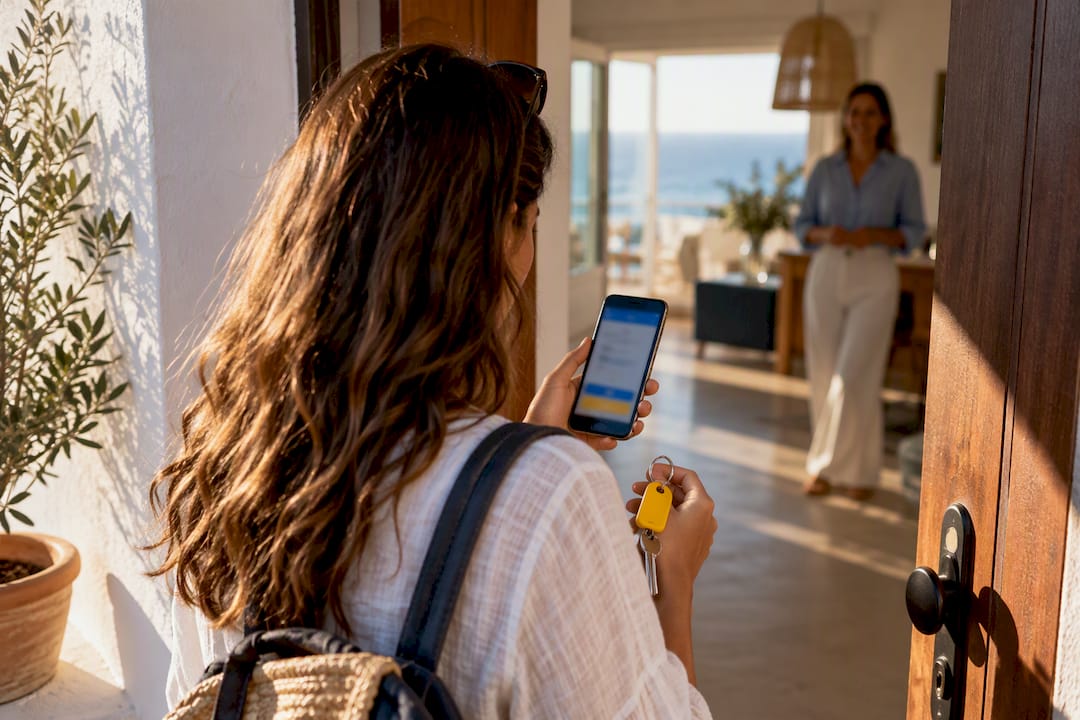
Running a hotel, hostel or short-term rental without a staffed front desk is both legal and practical when you pair four systems correctly: compliant online check-in, automated SES Hospedajes reporting, calendar-synced property management, and secure smart-lock access. Each piece covers a gap the others leave open. Your first move is simple: test one guest’s SES submission end to end before you remove any staffed shift.
TL;DR:
- Accurate calendar synchronization across all booking platforms is essential to prevent overbooking when operating receptionless properties.
- Running a full test of the SES submission workflow before launch helps identify formatting errors and ensures compliance with reporting requirements.
- Maintaining EU-hosted data storage, scheduled firmware updates, and detailed access logs are crucial for privacy, security, and audit readiness.
- Transitioning to a receptionless model typically takes several weeks, involving parallel testing, staff training, and iterative adjustments to guest workflows.
- Clarifying support contact methods and emergency protocols ensures a reliable guest experience despite the absence of a staffed front desk.
Table of Contents
- What a receptionless operation actually needs
- Legal and data protection rules you must satisfy first
- Technical architecture and integrations to assemble
- Step-by-step checklist to convert a property to receptionless
- Security and privacy controls that actually hold up
- Common pitfalls to avoid when going receptionless
- End-to-end timeline for moving from staffed to receptionless
- Training your team for a receptionless model
- Handling emergencies and guest support without a front desk
- Compliance checks beyond guest reporting
- When receptionless makes sense and when it does not
- How EuroCheckin puts this playbook into practice
- Sources
- FAQ
What a receptionless operation actually needs
Four functional blocks carry the entire operation. Miss one, and you either break the law or frustrate a guest standing outside a locked door at midnight.
- Online multilingual check-in forms that collect only the fields Real Decreto 933/2021 requires, nothing more.
- PMS and channel manager sync across every booking platform you use, so two guests never get assigned the same room.
- Automated SES Hospedajes reporting that transmits guest data without anyone remembering to log in at the end of the day.
- Smart locks with time-limited credentials that grant access only for the confirmed stay window.
- Digital contracts and e-signatures that establish house rules and liability before the guest ever touches a door handle.
Each block does one job. Together, they replace the functions a front desk used to perform manually.
Legal and data protection rules you must satisfy first
Before you automate anything, you need to know exactly what the law asks of you and what it does not. Two frameworks govern receptionless operations: the reporting requirement and the privacy limits on how you collect guest data.
- Know what SES Hospedajes requires and when. All accommodation providers must register and communicate guest identity and stay data through the SES Hospedajes platform, following the Annex I data fields set out in RD 933/2021. The platform was built to accept automated integrations from external applications, which means a receptionless property can transmit records immediately once its integration is validated, rather than waiting for someone to run a manual upload.
- Do not request copies of ID documents. The AEPD advises against asking for scanned passports or ID cards and recommends data minimization instead. For online check-in, it points to authentication through digital certificates, payment-data cross-checks, or a verification code sent to the guest’s confirmed contact method.
- Store records on EU-hosted infrastructure. Keep guest data inside systems located in the European Union, and document which authentication method you used for each booking so you can show your process if asked.
- Test your SES submission workflow before launch. Run a full test transmission with a real (or clearly marked test) booking and confirm the record appears correctly on the platform’s side. Do not wait until your first live guest to discover a formatting error.
Skipping step 4 is the most common way operators learn about compliance problems the hard way.
Technical architecture and integrations to assemble
The systems behind a receptionless property need to talk to each other constantly, not just at check-in.
- PMS, channel manager, and calendar sync form the backbone: when a booking lands on any platform, your calendar blocks that date everywhere else, which is what actually prevents overbookings rather than someone checking spreadsheets by hand.
- Automated SES reporting should trigger the moment a guest completes online check-in, not at a fixed “end of day” batch job that fails silently if the server is down.
- Smart locks need to issue time-limited or one-time codes tied to each reservation, and they need to log every access event, not just the successful ones.
- Payment and e-signature flows should run inside the same check-in sequence, so the guest signs the digital contract and settles any upsell in one pass rather than three separate emails.
Before choosing vendors, confirm each one supports EU data localization and pushes regular firmware updates for any connected lock hardware. A platform that cannot show you its update cadence is a platform you will be patching manually later.
Pro Tip: Run a dry test where you book a room under a test guest profile and follow the entire flow from confirmation email to door unlock, timing each step.
Step-by-step checklist to convert a property to receptionless
Converting an existing property is a sequence, not a single switch you flip overnight.
- Preflight: confirm your legal obligations, choose your integrations, run a test SES transmission, train remaining staff on the new tools, and set up a backup access plan for guests who cannot complete online authentication.
- Pre-arrival: set a clear deadline for online check-in completion, usually a reasonable deadline before arrival, apply your chosen authentication method, and send access codes only after that authentication clears.
- Arrival day: trigger automated arrival notifications to both guest and manager, have a remote support script ready for common questions, and keep a fallback mechanism, such as a lockbox code, for connectivity failures.
- Post-stay: verify the SES record was accepted without errors, follow your data-retention schedule for deleting expired guest data, and review access logs for anything unusual.
Each stage feeds the next. A property that skips the preflight test almost always discovers its SES formatting problem during a live arrival, which is the worst possible time to debug it.
Security and privacy controls that actually hold up
Good intentions do not satisfy GDPR. Concrete, documented controls do.
- Minimize what you collect, encrypt it in transit and at rest, host it within the EU, and restrict access by role so only the people who need guest data can see it.
- Avoid collective guest lists. Give each guest access only to their own reservation record, never a shared list visible to other guests or staff.
- Patch smart-lock firmware on a schedule, use separate administrator accounts from guest-facing codes, and keep event logs long enough to support an audit.
- Log what you need for SES and for your own incident review: timestamps, authentication method used, and access events, so a simple forensic check is possible if something goes wrong.
The AEPD’s own casework shows that OCR-based capture is acceptable when the images themselves are not stored and only the required fields are retained. That distinction between processing data and hoarding it is where most privacy complaints in hospitality actually start.
Common pitfalls to avoid when going receptionless
A few mistakes account for most of the complaints and fines that hit receptionless properties.
- Overbooking from a missing two-way calendar sync: verify that a booking on one platform blocks the date on every other platform, not just your main calendar.
- Collecting excessive ID data or storing document photos: use the authentication alternatives the AEPD recommends instead of scanning passports.
- Neglecting smart-lock patching and logs: schedule automatic firmware updates and review access logs on a fixed calendar, not only when something breaks.
- Poor guest communication: send clear, specific arrival instructions and commit to a response time for support requests.
Pro Tip: Set a recurring calendar reminder to review your smart-lock firmware version and access logs monthly, even when nothing seems wrong.
End-to-end timeline for moving from staffed to receptionless
A realistic transition takes weeks, not a single weekend, if you want it to hold up under real guest traffic.
In the first one to two weeks, audit your current check-in process, choose your online check-in and SES reporting tools, and confirm your smart-lock vendor supports the credential model you need. Weeks two and three are for integration: connect your PMS, channel manager, and calendar sync, then run test bookings through the full cycle from confirmation to digital contract to code delivery.

Around week three, run a parallel period where staffed and receptionless workflows operate side by side. Keep a person available at the property during this window, even if they are not stationed at a desk, so you can catch friction points before guests do. Watch how many guests complete online authentication without help and how many SES submissions clear without errors.
By week four or five, if your parallel run shows clean SES submissions and low support ticket volume, shift to receptionless as the default and keep staffed coverage as an on-call backup rather than a fixed shift. Reassess after your first month of full guest turnover, since patterns that look fine with five bookings sometimes reveal gaps at twenty. Treat the first quarter as a monitoring period, not a finished project: authentication methods, lock firmware, and SES formatting all get occasional updates that require your attention.
Training your team for a receptionless model
Removing a staffed desk does not remove the need for trained people, it changes what they need to know.
Existing front-desk staff should move into a remote support role, which means they need scripts for the most common guest questions: how to complete online check-in, what to do if a code does not work, and how to reach someone after hours. Walk them through the guest-facing check-in flow themselves, from the guest’s point of view, so they can troubleshoot it without guessing.
Anyone with administrative access to your smart locks or PMS needs a clear understanding of what they can and cannot change, since a mistaken code reset or an incorrectly closed booking creates real problems for a guest standing at a door. Set a simple escalation path: who handles a locked-out guest at 11 PM, who handles a payment dispute, and who has authority to override a code manually.
Change management matters as much as the technical training. Staff who spent years greeting guests in person may need reassurance that their role has shifted, not disappeared, and a defined remote-support job description helps that transition land better than a vague announcement that the desk is closing.
Handling emergencies and guest support without a front desk
Guests still need a human to reach when something goes wrong, even without a desk to walk up to.
Publish a single, clear contact method, whether that is a phone number, a messaging app, or an in-app support button, and make sure it appears in the pre-arrival email, the digital house guide, and any signage at the property entrance. Commit to a specific response time, even a modest one, so guests know what to expect rather than wondering if anyone will answer.
For genuine emergencies, fire, medical, or safety issues, guests need to know to call local emergency services directly rather than waiting on a hospitality support line. Your own support protocol should cover the operational issues instead: a code that will not open, a lock that fails to respond, or a guest who arrives before authentication clears. Keep a documented fallback, such as a lockbox with a physical key, for situations where the digital system itself fails.

Assign clear ownership for after-hours coverage. A support inbox that nobody checks until morning defeats the purpose of promising a response time at all.
Compliance checks beyond guest reporting
SES Hospedajes reporting is not the only legal box a receptionless property needs to check.
Fire safety requirements do not disappear because nobody sits at a desk. Evacuation instructions, extinguisher locations, and any required signage still need to be visible and current, and a receptionless property should include this information prominently in its digital guest guide since there is no staff member to point it out verbally. Accessibility obligations also remain in force: guests with mobility needs still require step-free access, usable door hardware, and clear instructions they can follow without relying on someone to physically assist them at arrival.
None of this replaces a conversation with a qualified professional about your specific property, since accessibility and fire codes vary by building type, age, and local regulation. Treat the legal check as a standing item, not a one-time task completed at launch: renew any required certificates on schedule and revisit your evacuation plan whenever the smart-lock system changes.
When receptionless makes sense and when it does not
Receptionless operations suit properties with a fairly independent guest profile: short-term rentals, budget hostels, and boutique properties where guests expect self-sufficiency. A full-service hotel courting guests who expect a concierge at 2 AM is a harder fit, and staffed reception may remain the better call there regardless of what automation can technically do.
If you are converting an existing property, run a pilot on a handful of units first. Track SES submission accuracy, guest support ticket volume, and any overbooking incidents before rolling the model across a whole portfolio. The savings on staffing costs are real, but they only make sense once the guest experience holds up without a person at the door.
— Sofía Herrera
How EuroCheckin puts this playbook into practice
Everything covered above, compliant check-in, automated reporting, calendar sync, and smart-lock access, is what EuroCheckin was built to run for you, so you spend your time on the property instead of the paperwork.

EuroCheckin sends guest data to SES Hospedajes automatically, hosted on infrastructure inside the European Union, which removes the manual upload step that causes most reporting errors. One hotel operator reduced SES submission errors after switching to EuroCheckin’s automated workflow instead of manual entry.
- Multilingual online check-in forms that collect only what RD 933/2021 requires.
- Automatic SES Hospedajes reporting triggered the moment a guest completes check-in.
- Smart-lock integration with TTLock, Nuki, and Yale for fully autonomous arrivals.
- Calendar sync across Airbnb, Booking, Vrbo, and more than 12 other platforms.
- Digital contracts with e-signature and built-in payment links for guest upsells.
EuroCheckin para alojamientos starts at a low monthly fee per accommodation, and EuroCheckin para hoteles runs a low monthly fee per room, both with a free trial. If you only need the SES Hospedajes reporting service on its own, it starts from a one-time fee per accommodation. Start a free trial and run your first automated SES submission this week.
Sources
For the legal framework itself, see the Ministerio del Interior’s guidance on hospedajes and the announcement of the SES.Hospedajes registry launch. For data protection limits on identity checks, read the AEPD’s guidance note. To see how EuroCheckin structures its SES integration, visit its feature overview. If you manage listings on Airbnb specifically, this piece on guest registration obligations walks through platform-specific rules.
This article is general information, not a substitute for advice from a qualified lawyer. Consult a qualified legal professional about your own circumstances before acting on anything here.
- Ministerio del Interior — Hospedajes y alquiler de vehículos
- AEPD note on identity copies and RD 933/2021
FAQ
Is it legal to run a hotel without a front desk?
Yes, as long as you meet the same reporting and data protection obligations any staffed property must meet. The RD 933/2021 framework governs what you report and when, regardless of whether a human or an automated system handles the check-in.
Can I ask guests for a copy of their passport during online check-in?
No, the AEPD advises against requesting copies of identity documents and recommends authentication alternatives instead, such as digital certificates, payment-data checks, or a verification code sent to the guest. This keeps you within data minimization rules while still confirming the guest’s identity.
What happens if I miss an SES Hospedajes submission deadline?
Missing or incorrect submissions can lead to penalties, and the specific consequences depend on the nature and frequency of the failure. Automated reporting tools reduce this risk by transmitting records as soon as a guest completes check-in rather than relying on a manual end-of-day process.
How much does EuroCheckin cost for a small property?
EuroCheckin para alojamientos costs a low monthly fee per accommodation, with a free trial available before you commit. Hotels pay a low monthly fee per room through the separate EuroCheckin para hoteles plan.
Do smart locks need special security maintenance?
Yes, smart locks are internet-connected devices that need regular firmware updates, separate administrator accounts from guest codes, and ongoing event logging. Skipping these steps turns a convenience feature into a security gap that is hard to detect until something goes wrong.