



Use a short pre check-in form that separates mandatory legal-registration fields from optional preferences, and never rely on Airbnb’s own messaging system to cover your legal duties. If you host in Spain, the form has to feed data your local law requires and respect GDPR limits on what you keep. Automating that reporting saves hours once you manage more than one property, and a tool like Eurocheckin can handle the SES Hospedajes side for you.
TL;DR:
- Creating a pre check-in form with separate sections for logistics, legal registration, and optional requests reduces guest abandonment and confusion.
- In Spain, forms must include detailed traveler information and data retention for three years, complying with both Real Decreto 933/2021 and GDPR principles.
- Sending the registration form immediately upon booking and automating reminders improves compliance, while keeping access instructions separate from registration data avoids issues.
- Automated tools like Eurocheckin streamline legal reporting and guest data collection, integrating with smart locks and platforms for a seamless check-in process.
Table of Contents
- Which Fields Belong in an Airbnb Pre Check-In Form?
- Two Ready-to-Use Pre Check-In Templates
- When Should You Send the Pre-Arrival Guest Form?
- What Spanish Law and GDPR Require From Your Form
- What to Do When a Guest Doesn’t Submit the Form
- Why Hosts Keep Overcomplicating This
- Automate Your Pre Check-In Form With Eurocheckin
- Sources
- FAQ
Which Fields Belong in an Airbnb Pre Check-In Form?
A pre check-in form works best when it does two jobs and keeps them separate: confirming logistics, and satisfying legal registration. Blur the two, and you end up with a bloated form that guests abandon halfway through.
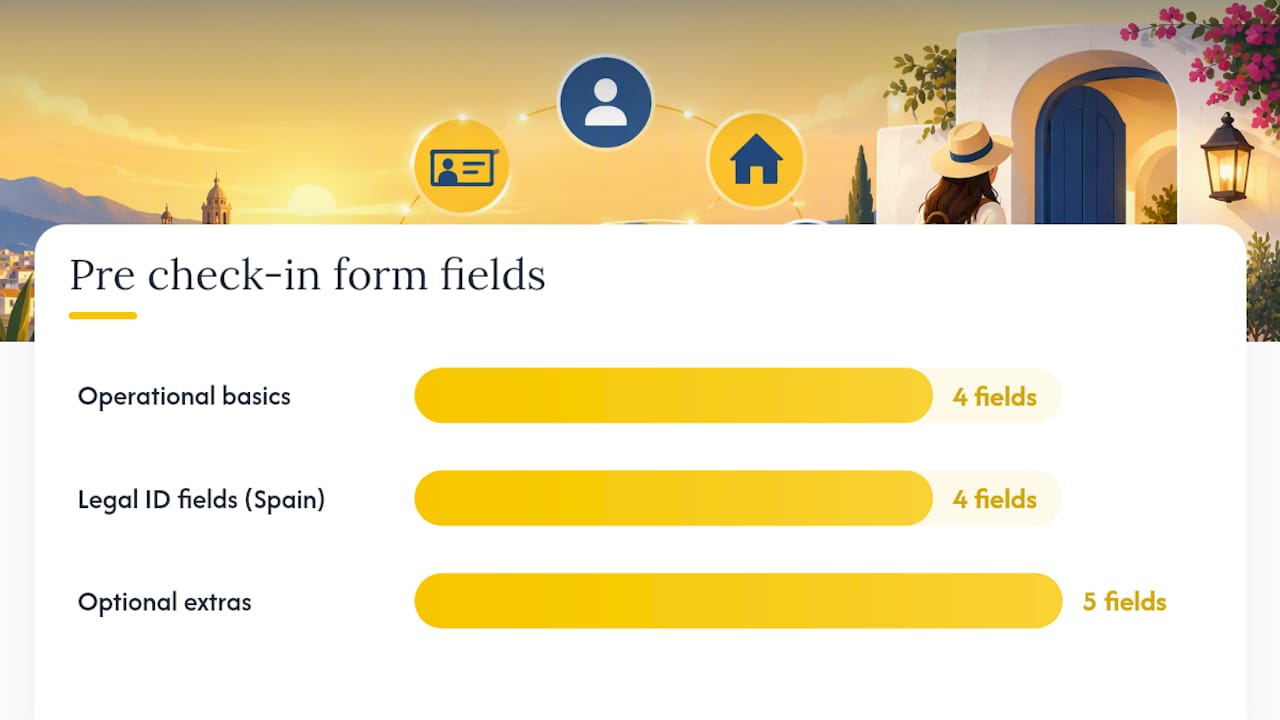
Start with the operational basics every host needs regardless of location:
- Reservation reference number and lead guest name
- Contact phone number and email
- Planned arrival time and mode of transport
- Parking needs, if the property offers or requires it
If you operate in Spain, add the identification fields required for traveler registration:
- Document type (passport, national ID, or residence card) and document/support number
- Nationality and date of birth
- Habitual residence (city and country)
- Full names and ages of every traveler staying, including relationship to the lead guest for minors
Keep a third, clearly separate block for anything that isn’t mandatory: early check-in requests, breakfast add-ons, late checkout, accessibility needs, or crib rentals. Mixing these with legal fields confuses guests about why you’re asking for a passport number to book a late checkout.
Conditional logic keeps the form short for everyone. Ask “How will you arrive?” first, and only show parking fields if the answer is “by car.” Ask about accessibility needs only if the guest flags a concern, rather than forcing every traveler to scroll past a question that doesn’t apply to them.
Two Ready-to-Use Pre Check-In Templates
Most hosts need one of two templates, depending on how formal their operation is.
Template 1: The quick version, for hosts who mainly want smooth logistics:
- Reservation code and lead guest name
- Estimated arrival time
- Number of guests and any special requests
- Contact number for the day of arrival
Template 2: The legal-complete version, mapped to what Real Decreto 933/2021 requires from professional accommodation operators in Spain:
- Reservation reference and lead guest contact details
- Document type, document number, nationality, and date of birth for every traveler
- Habitual residence for each traveler
- Names and ages of accompanying guests, noting relationship for minors
- A privacy notice explaining why you collect this data and how long you keep it
- A consent checkbox, worded simply: “I confirm the details above are accurate and understand this information will be shared with Spanish authorities as legally required, and retained for three years.”
- A confirmation screen showing a timestamp and the reservation code
That confirmation screen matters more than most hosts realize. It creates a simple audit trail, so if a guest later disputes submitting their information, you have a timestamped record tied to their reservation, which RD 933/2021’s reporting structure effectively expects you to be able to produce.
Pro Tip: Send yourself a test submission before launch. Fill out the form as a guest would, check that the confirmation message actually arrives, and confirm the data lands somewhere you can retrieve it later.
When Should You Send the Pre-Arrival Guest Form?
Airbnb’s own check-in instructions typically surface 48 hours before arrival, covering address, access method, parking, and Wi-Fi. That window works fine for logistics guests need on the day, but it’s far too late for registration data you’re legally required to have on file.
Send your own form the moment a reservation gets confirmed, not two days out. A practical schedule looks like this:
- Immediately at booking: full pre check-in form with a clear deadline
- One reminder at 72 hours before arrival if the form is still incomplete
- A final, short nudge at 24 hours for anyone who hasn’t responded
- For last-minute bookings inside that 72-hour window, send the form within the hour and shorten the reminder cycle accordingly
Airbnb’s scheduled messages let you automate all of this around booking and check-in triggers rather than sending messages manually for every reservation.
Pro Tip: Never put door codes or lockbox instructions inside the pre check-in form itself. Keep access details in a separate, tested message sent only after registration is confirmed, so an incomplete form never turns into a locked-out guest.
What Spanish Law and GDPR Require From Your Form
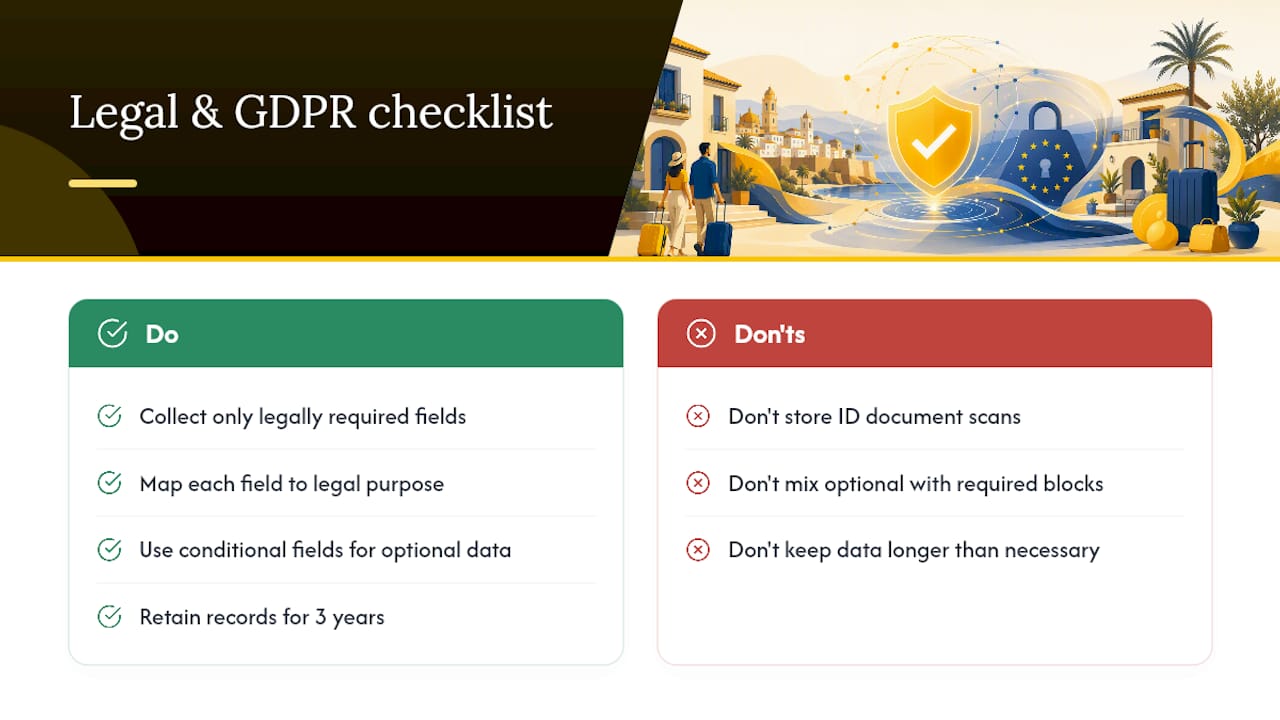
Spain’s Real Decreto 933/2021 sets out exactly which traveler fields professional accommodation operators must record: document type and number, nationality, date of birth, habitual residence, contact details, and number of travelers. Records must be retained for three years, and communications to authorities happen through telematic channels, sometimes required immediately or within 24 hours depending on the circumstance.
GDPR adds a layer on top of that legal duty, and the two sometimes pull in opposite directions if you’re not careful. The regulation’s core principles apply directly to form design:
Retaining copies of identity documents beyond what’s strictly necessary can breach data-minimization and storage-limitation obligations, according to guidance from European data-protection authorities. Recording a document number is usually enough; scanning and storing the document itself often isn’t.
In practice, that means mapping every field on your form to a specific legal purpose before you build it. If a field doesn’t serve booking logistics or a registration requirement, it shouldn’t be mandatory, and it definitely shouldn’t sit in the same block as legally required data. The EDPB’s design guidance recommends conditional fields precisely for this reason: separate flows for separate purposes. Structuring your form so its output maps directly onto the fields authorities require, rather than needing manual re-entry, cuts down on both errors and audit risk. For a full breakdown of what the law expects, see this guide to RD 933/2021 compliance.
What to Do When a Guest Doesn’t Submit the Form
Missing submissions happen constantly, and chasing them shouldn’t eat your whole afternoon. A tight escalation sequence works better than repeated long messages, which guests tend to skim past anyway.
- Send one automated reminder at the 24 hour mark with a clear deadline and a single sentence explaining why the form matters.
- If there’s still no response, send a short, direct message: one request, one deadline, one fallback option (such as completing the form at the door).
- For arrivals with no response at all, prepare a manager-assisted check-in where staff collect the same fields verbally and log them securely on the guest’s behalf.
- Give guests a secure link to correct any submitted details, and keep a record of when the correction was made.
Keep access instructions out of this entire process. However the registration data resolves, the door code or smart lock code travels through a separate, already-tested channel, so a stalled form never becomes a stranded guest.
Why Hosts Keep Overcomplicating This
Most guides treat the pre check-in form like a single document that should do everything: collect logistics, satisfy the law, upsell breakfast, and gather a signature on the house rules. That instinct is understandable, but it’s backwards. The moment you conflate optional upsells with legal registration, guests start distrusting the legal parts too, because nothing on the page signals what’s required versus what’s a nice-to-have.
The fix isn’t more fields. It’s fewer fields, better organized, with automation handling the reporting piece so hosts aren’t manually re-entering the same guest data into a government portal. Test your full workflow, from form submission to access instructions, before you trust it with a real guest, and keep a manual fallback for the day the technology doesn’t cooperate. For hosts who want the legal side handled without the manual re-entry, resources like EuroCheckin’s guide to traveler registration are worth a closer look.
— Sofía Herrera
Automate Your Pre Check-In Form With Eurocheckin
Eurocheckin turns the legal side of this article into something you never have to think about again: it reports traveler data to SES Hospedajes automatically, so you’re not manually retyping what your guests already submitted.

The platform’s online check-in tools collect guest data in multiple languages and route it straight into a compliant, fully digital registry, avoiding the duplicate data entry that eats up a host’s evening after every changeover. Calendar sync across Airbnb, Booking, and over a dozen other platforms keeps availability accurate, digital contracts handle house-rule acknowledgment with an e-signature, and integrations with Nuki, TTLock, and Yale smart locks let you hand access instructions to guests only once registration is confirmed, exactly the separation this article recommends. Plans start at €5 per month per accommodation, with a free trial to test the full workflow before you commit. If you manage a hotel or hostel, pricing runs €3 per month per room instead. Start a free trial and see whether your next check-in runs itself.
This article is general information, not a substitute for advice from a qualified lawyer. Consult a qualified legal professional about your own circumstances before acting on anything here.
Sources
- How to check in to your home reservation — Airbnb Help Center
- Real Decreto 933/2021 — BOE (consolidated text)
- EDPB news and guidance (includes cases on identity-document retention)
FAQ
How Do I Request an Early Check-In on Airbnb?
Message your host directly through Airbnb and ask about an earlier arrival time; hosts can adjust check-in times for individual reservations, though changes can reset to listing defaults if the trip details change afterward. Confirm the updated time in writing once your host agrees.
Does Airbnb Automatically Send Check-In Instructions?
Airbnb typically releases standard check-in instructions, including address, access method, and Wi-Fi details, 48 hours before arrival. That window doesn’t cover a host’s own pre-arrival registration form, which should go out much earlier, ideally at the time of booking.
What Is the Airbnb Check-In Process?
The check-in process combines Airbnb’s automatic instructions, sent close to arrival, with whatever access method the host has set up, such as a lockbox, smart lock, or keypad, which should be tested in advance. A separate pre check-in form, like the templates above, fills the gap by collecting registration and logistics details Airbnb’s system doesn’t ask for.
My Airbnb Host Never Sent Check-In Instructions. What Should I Do?
Message your host directly through the Airbnb app; if they’re unresponsive as your check-in time approaches, contact Airbnb support for help resolving access. Hosts using platforms like Eurocheckin typically avoid this problem, since access instructions are triggered automatically once registration is confirmed.
What Does Eurocheckin Cost for Automating Pre Check-In Forms?
Eurocheckin’s accommodation plan runs €5 per month per property, while its hotel plan is priced at €3 per month per room, and both include a free trial. Separate SES Hospedajes registration setup is available from €79 one-off per property for hosts who need that service handled directly.


