


Yes, you can sync Airbnb with Google Calendar in both directions. Export Airbnb’s iCal link into Google Calendar to see bookings, and import Google’s secret iCal address into Airbnb to block personal dates. The catch: Airbnb’s feed refreshes at intervals of several hours, so treat this setup as a visibility tool, not a real-time double-booking shield.
TL;DR:
- Manual iCal syncing works for managing one or two listings but becomes unreliable and error-prone as the number of properties increases.
- Refresh intervals of about three hours make real-time updates impossible, risking double bookings during that lag period.
- Only events marked as “busy” in Google Calendar will block dates in Airbnb, requiring source changes to update availability.
- Using an automated multi-channel sync platform like Eurocheckin can eliminate delays and manual effort, especially for hosts managing multiple listings across platforms.
- Properly setting time zones and avoiding duplicate feeds are essential to prevent sync failures and keep calendars accurate.
Table of Contents
- How to Export Your Airbnb Calendar and Add It to Google Calendar
- How to Import Google Calendar Into Airbnb to Block Personal Dates
- How to Avoid Double Bookings Across Multiple Listings
- Why Isn’t My Airbnb Calendar Syncing Correctly?
- When Manual Syncing Stops Being Enough
- A Host’s Daily Routine for Staying On Top of Bookings
- Automate Your Airbnb Calendar Sync With Eurocheckin
- Sources
- FAQ
How to Export Your Airbnb Calendar and Add It to Google Calendar
The first move is pulling your listing’s calendar out of Airbnb so Google can read it. This is a one-way subscription: Google will show you what’s booked, but you can’t edit those events from your Google account.
Here’s the exact path, according to Airbnb’s own sync instructions:
- Log into Airbnb and go to your Calendar tab.
- Select the listing you want to export, then click Availability.
- Scroll to Connect calendars and choose Export calendar.
- Copy the unique link Airbnb generates. It must end in .ics. If it doesn’t, the import will fail on Google’s end.
Now switch over to Google Calendar to finish the connection:
- On the left sidebar, find Other calendars and click the + icon.
- Choose From URL.
- Paste the .ics link you copied from Airbnb.
- Click Add calendar.
Your Airbnb bookings will now appear as a separate calendar layer inside Google, listed under Other calendars, which matches how Airbnb documents its Google Calendar sync for hosts running Experiences and Services too.
A few practical notes worth flagging:
- Treat that .ics URL like a password. Anyone with the link can view your booking dates.
- You cannot edit, cancel, or move an Airbnb reservation from inside Google. It’s a read-only mirror.
- If you manage several listings, export and add each one separately. Google won’t merge them for you.
Pro Tip: Assign each listing’s Airbnb feed a distinct color in Google Calendar, then share that calendar with your cleaner or co-host. It turns a personal scheduling tool into a shared operations dashboard without any extra software.
How to Import Google Calendar Into Airbnb to Block Personal Dates
Blocking your own availability works the opposite direction: Google exports, Airbnb imports. This is how you keep a family trip or a maintenance day from turning into an accidental booking.
Start in Google Calendar:
- Click the gear icon and open Settings.
- Select the calendar you want to share, usually your personal or main calendar.
- Scroll to Integrate calendar and copy the Secret address in iCal format.
Then head back to Airbnb:
- Go to Calendar → Availability → Connect calendars → Import calendar.
- Paste the secret iCal address.
- Give the imported calendar a clear name, such as “Personal, Do Not Book.”
- Save the import.
A couple of limitations matter here. Only events marked busy in Google will actually block your Airbnb availability, according to guidance echoed by Guesty’s sync documentation. An event marked “free” won’t do anything. And once imported, you can’t edit that blocked time from inside Airbnb’s interface. You have to change it at the source, in Google.
- Only “busy” events block dates. “Free” events are invisible to Airbnb.
- Edits happen in Google, not in Airbnb, since the import is one-way.
- Name imported calendars clearly to avoid confusing them with your Airbnb export feeds.
Pro Tip: Keep one dedicated “Personal Blocks” calendar in Google separate from your work or family calendar. Import only that one into Airbnb. It’s far easier to audit than trying to import a calendar full of unrelated appointments.
How to Avoid Double Bookings Across Multiple Listings
The biggest risk in manual iCal syncing isn’t the setup. It’s the lag. Airbnb updates its calendar automatically about every three hours, and Google’s own refresh cadence for subscribed calendars can add further delay. That gap is the window where a same-day booking on one platform can slip through before the other platform even knows the date is gone.
A few operational habits shrink that risk considerably:
- Build in buffer days between stays using Airbnb’s minimum-stay and turnover-time settings, so a same-day back-to-back booking is structurally harder to create.
- Set notification alerts on every booking so you catch new reservations the moment they happen, not three hours later.
- Share the color-coded Google feed with cleaners and co-hosts so nobody is guessing about status.
- After every new booking, manually refresh your calendar subscriptions rather than waiting on the automatic cycle.
Hosts running one listing can usually manage on manual iCal alone. Once you’re juggling three, four, or more calendars across platforms, the math changes. Hostaway’s analysis of iCal syncing points out that manual feeds become error-prone and slow to reconcile at scale, which is exactly when a merged feed or channel manager starts paying for itself.
Pro Tip: After confirming a new reservation, run a 30-second checklist: refresh your Google subscription, confirm your cleaner got the notification, and glance at nearby dates for conflicts. It takes less time than it sounds.
Why Isn’t My Airbnb Calendar Syncing Correctly?
Most sync failures trace back to one of five causes, and nearly all are fixable in under five minutes.
- Invalid .ics URL. If the link doesn’t end in .ics, Google Calendar will reject it outright. Re-copy the export link from Airbnb’s Availability page.
- Stale events. Because Airbnb’s feed refreshes roughly every three hours, a booking made minutes ago may not show up yet. Manually refresh the subscribed calendar rather than assuming something is broken.
- Duplicate feeds. If you’ve exported and re-added the same listing more than once, you’ll see doubled entries. Check Other calendars in Google and remove the redundant subscription.
- Timezone mismatches. Confirm both Airbnb and Google are set to the same timezone for the property, especially for hosts managing units across regions.
- Exposed secret links. If you suspect your iCal URL was shared or leaked, regenerate it from Airbnb’s Availability settings immediately.
That roughly three-hour polling interval isn’t a bug. It’s simply how Airbnb’s calendar infrastructure is built, and it’s the single biggest reason hosts with tight turnover windows look for faster alternatives.
When Manual Syncing Stops Being Enough
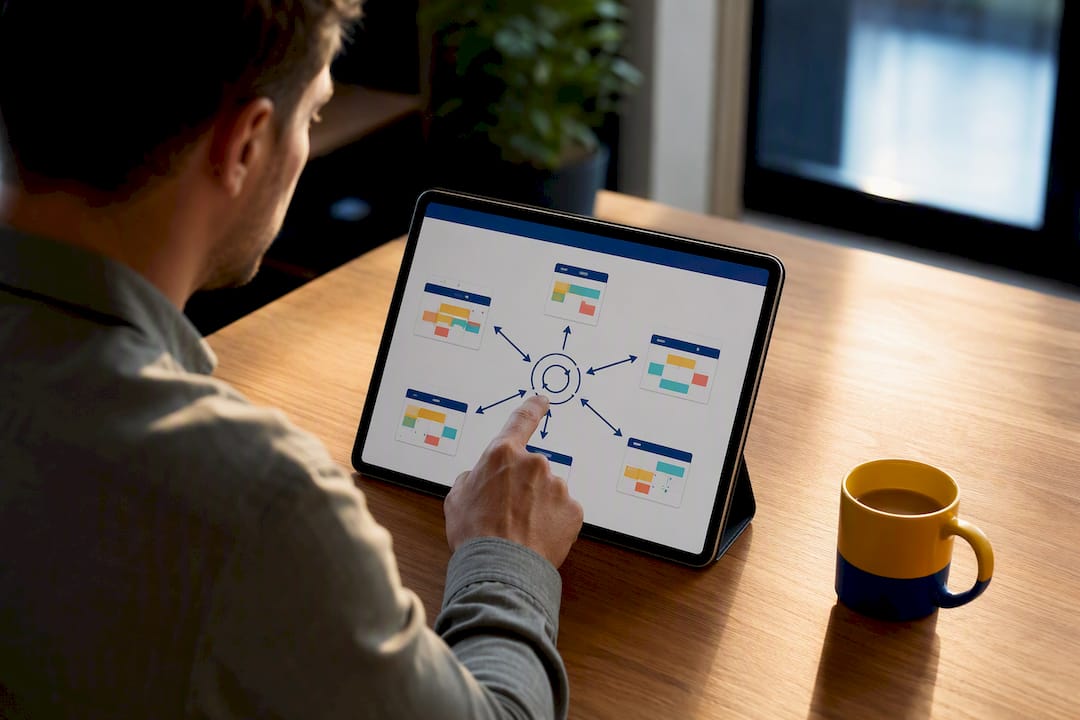
Manual iCal is genuinely useful for a single listing where you just need a visual check on your phone. It starts breaking down once you’re managing several units across Airbnb, Booking, and Vrbo simultaneously, because every added feed multiplies your risk of missing an update during that polling gap.
Automated platforms solve this by merging every channel into one feed rather than juggling separate subscriptions, an approach Mastercalendar describes as faster and better at catching conflicts than stacking individual iCal links. Eurocheckin takes that further for hosts operating in Spain, layering calendar sync across 12-plus platforms on top of automatic SES Hospedajes reporting, multilingual online check-in, and smart-lock integrations.
- Manual iCal works fine for one or two listings with light turnover.
- Automated sync earns its cost once you’re managing three or more units or multiple platforms.
- Compliance-heavy markets add another reason to centralize: fewer manual reports, fewer chances for an administrative slip.
Pro Tip: If you’re spending more than a few minutes a day cross-checking calendars, that time cost alone usually justifies moving to an automated sync tool.
A Host’s Daily Routine for Staying On Top of Bookings
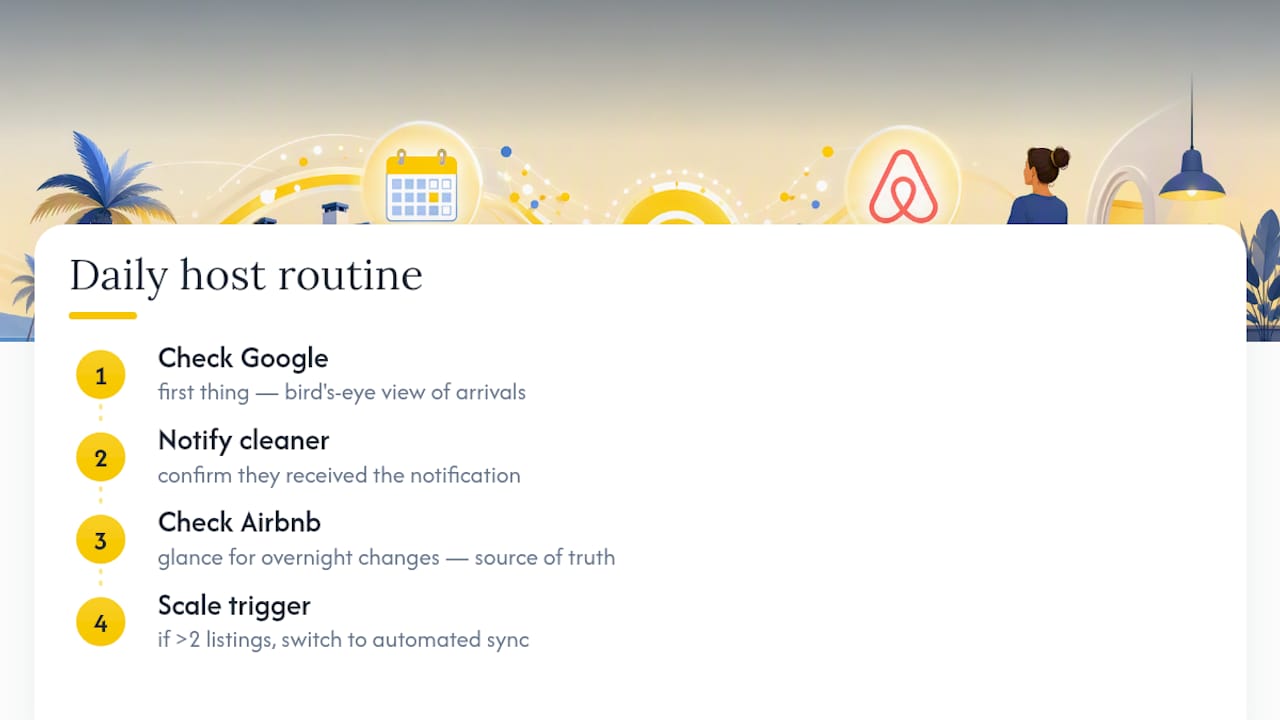
I recommend a simple rhythm: check Google first thing each morning for the day’s arrivals, confirm your cleaner has the notification, then glance at Airbnb directly for anything that landed overnight. Google gives you the bird’s-eye view; Airbnb still holds the source of truth.
Once you’re running more than two listings, that manual check stops scaling. That’s the point where switching to an automated sync solution protects your time more than it protects your calendar.
— Sofía Herrera
Automate Your Airbnb Calendar Sync With Eurocheckin
If you’ve made it this far, you’ve felt the gap between “syncing works” and “syncing is reliable.” Manual iCal gets you visibility. It doesn’t get you speed, and it definitely doesn’t handle the legal paperwork sitting behind every check-in.

Eurocheckin closes that gap for hosts operating in Spain. Instead of juggling separate .ics links for every platform, it keeps your availability synced across Airbnb, Booking, Vrbo, and more than a dozen other channels in one place, cutting the polling-lag risk that manual iCal can’t avoid. It also automatically reports guest data to SES Hospedajes under relevant regulation, offers multilingual online check-in, and connects with smart locks for fully autonomous arrivals. Hosts running two or more listings, or anyone tired of manually reconciling calendars every morning, are the clearest fit. Start with a free trial to automate your Airbnb calendar sync and see how much of that daily checklist disappears.
Sources
FAQ
Can You Sync Google Calendar With Airbnb?
Yes. Export Airbnb’s iCal link into Google Calendar to view bookings, and import Google’s secret iCal address into Airbnb to block personal dates, though the connection is read-only in both directions.
How Do I Add My Airbnb Trip to My Calendar?
Go to Airbnb’s Calendar tab, select the listing, click Availability, then Export calendar, and copy the .ics link. Paste that link into Google Calendar under Other calendars, using the “From URL” option.
How Do I Set Up an Airbnb Calendar?
Set availability, minimum stays, and turnover buffers inside Airbnb’s Calendar and Availability settings first, then connect it to Google Calendar or an automated sync platform like Eurocheckin for cross-platform visibility.
How Do I Sync My Airbnb Calendar With My Booking Calendar?
Airbnb and Booking.com can be linked through iCal export/import in each platform’s calendar settings, though the safer route for multiple listings is an automated tool that merges every channel into a single synced feed.
Why Does My Airbnb Calendar Take Hours to Update?
Airbnb’s calendar refreshes automatically about every three hours, which creates a short window where a new booking on one platform may not yet appear on another until the next refresh cycle.


