



A house manual works when it answers a guest’s first three questions before they have to ask: how do I get in, what’s the Wi-Fi password, and how does the shower work? The right format is a mobile-first digital manual with copyable text for codes, not a photo of a router. Copy a template snippet from the sections below into your Arrival guide or your pre-arrival message today, and you’ve already improved the next guest’s stay.
TL;DR:
- Most guest questions relate to access, Wi-Fi, or emergency procedures, so prioritize these in the manual and place them at the top.
- Digital guidebooks are more effective than printed binders or PDFs because they are easily updated, searchable, and suitable for managing multiple listings.
- Communicate house rules plainly with brief explanations, framing them as friendly requests with reasons to encourage compliance.
- Regularly review and update the manual based on recurring guest questions to improve clarity and reduce repeated inquiries.
- For hosts managing multiple properties, an automated platform like EuroCheckin streamlines updates, legal compliance, and integration with smart locks.
Table of Contents
- What Should an Airbnb House Manual Include?
- Printable, PDF, or Digital: Which Format Actually Gets Used?
- Where Should You Send an Airbnb House Manual?
- How to Write House Rules Guests Actually Follow
- Copy-Ready Snippets for Your House Manual
- Keeping Your House Manual Current
- What Does Spanish Law Require for Guest Data?
- Why a Living Manual Changed How I Host
- A Compliant Way to Automate Your Guest Guide
- Sources
- FAQ
What Should an Airbnb House Manual Include?
Order matters more than most hosts realize. Guests open your manual at two moments: the second they arrive, confused, and later when something in the unit stops working. Structure it around those moments, not around what feels comprehensive to you.
Build it in this sequence:
- Arrival and access: door code, lockbox location, parking instructions, and what to do if the code fails.
- Wi-Fi: network name and password as plain, copyable text, never as an image.
- House rules: quiet hours, smoking policy, guest limits, pet policy if applicable.
- Room-by-room how-tos: thermostat, washer/dryer, coffee maker, TV streaming logins.
- Checkout: time, trash instructions, key return method.
- Emergency contacts: your number, nearest hospital, and a local emergency line.
Vendor guidance on manual structure consistently backs this order: Touchstay’s guidance recommends sequencing content by guest urgency rather than by category importance. Access and Wi-Fi come first because they cause the most same-hour messages. Rules and appliance instructions can wait until a guest has already settled in.
Printable, PDF, or Digital: Which Format Actually Gets Used?
- Printable binder. Cheap and always available even without signal, but it goes stale the moment you change a code or swap an appliance, and guests rarely read past page two.
- PDF sent by message. Better than paper for updates, but guests lose it in a crowded inbox and can’t search it on the fly.
- Digital guidebook. Mobile-first, updateable in real time, and searchable, which matters most once you’re managing more than one listing.
Choose digital when you update details often or run multiple units. A single-property host launching this month can start with a free template; anyone updating codes seasonally or juggling more than one calendar should move to a platform before version drift creates confusion. Whatever format you pick, keep Wi-Fi credentials and door codes as plain text, and put a QR code somewhere guests will actually look, not buried in a welcome folder.
Where Should You Send an Airbnb House Manual?
Airbnb’s own house manual field, tucked into your listing’s Arrival guide, is the first place to put this content. Airbnb confirms that only guests with a confirmed reservation can view the Arrival guide’s house manual, so it’s safe to include semi-sensitive details like door codes there.
From there, layer in redundancy:
- Paste the same content into your pre-arrival message, sent at booking and again 48 to 72 hours before check-in.
- Print a QR code linking to the digital version and place it at eye level near the entry door.
- Leave a second QR code in the kitchen, since that’s where most “how does this work” questions originate.
- Never rely on a single channel. Guests forget which message thread had the code.
Sending the manual twice, once at booking and once close to arrival, catches guests who booked weeks out and never reopened the first message.
How to Write House Rules Guests Actually Follow

Open every section with the short answer, then the reason. “Quiet hours are 10 PM to 8 AM because the building has thin walls” gets followed more often than a bare rule with no context. Guests comply with reasons; they resent bare commands.
Keep the writing plain:
- State each rule as one short sentence, not a paragraph of legal phrasing.
- Explain the “why” briefly when it isn’t obvious (trash day, shared walls, septic systems).
- Avoid absolute legal language like “guests shall not”; write the way you’d talk to a friend staying over.
- Make tech instructions copyable, and note if a smart lock or thermostat has an accessibility mode.
Pro Tip: Write rules as if you’re texting a considerate friend, not drafting a lease. “Please keep noise down after 10 PM, the walls are thin” lands better than “Noise Policy: Prohibited after 22:00.”
Copy-Ready Snippets for Your House Manual
Paste these directly into your Arrival guide, then swap the bracketed details for your own. Keep access and Wi-Fi at the very top of whatever document guests see first.
- Welcome: “Welcome to [Property Name]! We’re glad you’re here. Everything you need is below. If something’s missing, text us at [number].”
- Check-in: “Check-in opens at [time]. Your door code is [1234], entered on the keypad by the front door.”
- Wi-Fi: “Network: [NetworkName] / Password: [password12345]”
- House rules: “Quiet hours run 10 PM to 8 AM. Smoking is not permitted indoors.”
- Appliance: “The coffee maker takes 2 minutes to heat. Press the top button once; a light means it’s ready.”
- Checkout: “Checkout is at 11 AM. Leave keys on the counter and start the dishwasher if you used dishes.”
- Emergency: “For emergencies, call 911. Our number for anything else is [number].”
Personalize each line with your own details, but resist the urge to pad them. Short, specific sentences get read; long ones get skipped.
Keeping Your House Manual Current
A manual is only useful if it matches reality, which means it needs a maintenance habit, not a one-time write-up.
- Log every guest question for 90 days, then check which ones repeated. Airbnb’s own hosting resources recommend adding repeat questions straight into the manual and moving them higher in the order.
- Track opens and message volume; fewer repeated questions and cleaner turnovers are your success signal.
- Assign one person to own updates and set a 30 and 90-day review reminder.
Pro Tip: If three guests in a row ask the same question, that’s not a coincidence, it’s a gap in your manual. Fix it before the fourth guest asks.
What Does Spanish Law Require for Guest Data?
Collecting guest data for your manual or check-in flow isn’t just a hospitality choice in Spain, it’s a legal one. Real Decreto 933/2021 requires many professional accommodation providers to collect specified traveler data, retain it for three years, and report it electronically to SES.HOSPEDAJES, often within 24 hours of the reservation or check-in. Coverage under the decree expanded the fields providers must collect, which has raised real questions about GDPR compatibility that hosts should take seriously rather than dismiss.
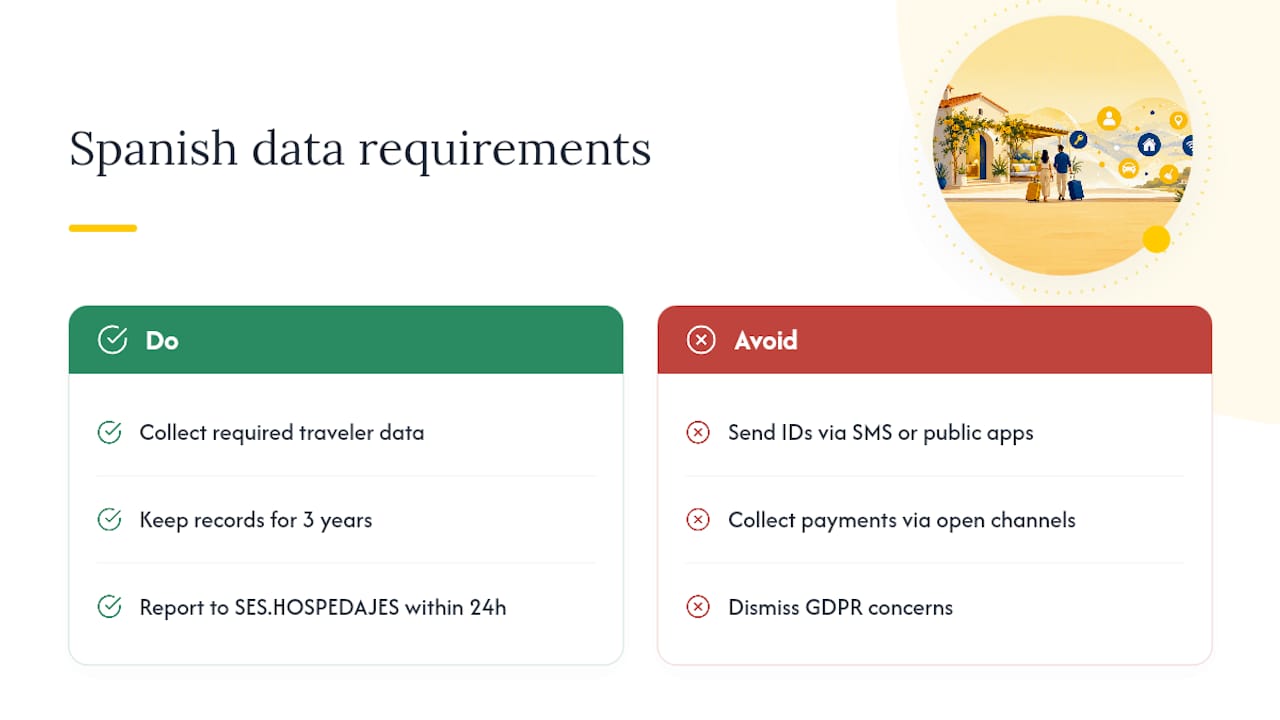
The practical takeaway: don’t collect ID numbers or payment details through open channels like SMS or public messaging apps. Use a secure, GDPR-aligned digital check-in flow instead, and read the full decree before assuming your current process covers you.
Why a Living Manual Changed How I Host
I stopped treating my house manual as a document I wrote once and forgot. Once I logged guest questions for a season and folded the repeat ones back in, message volume dropped and turnovers got noticeably smoother. That’s the entire point of a manual: it’s operational infrastructure, not a welcome gift.
If you’re still on a static PDF, here’s the move this week: pull your last ten guest messages, note which questions repeat, add those answers to your Arrival guide, and set a calendar reminder to repeat the exercise in 90 days. For hosts managing several units, EuroCheckin’s guides on traveler registration compliance are worth a look when the manual and legal reporting start to overlap.
— Sofía Herrera
A Compliant Way to Automate Your Guest Guide
Once you’re running more than one listing, updating a PDF by hand every time a code changes stops scaling, and that’s exactly the gap EuroCheckin closes. It combines a digital guest guide with automatic SES.HOSPEDAJES reporting, so the same platform that holds your house manual also handles the traveler data your manual collection touches on.

EuroCheckin syncs calendars across Airbnb, Booking, Vrbo, and other platforms, and connects with smart locks like Nuki, TTLock, and Yale so your access instructions turn into an actual self check-in flow instead of a paragraph guests have to follow manually. That matters most if you manage multiple properties or need to guarantee your traveler reporting is filed correctly and on time, since a missed report carries real legal exposure under RD 933/2021.
If your current setup is a folder of PDFs and a spreadsheet of door codes, see how EuroCheckin automates traveler registration and start a free trial to test it against your next check-in.
Sources
- Adding a house manual to your home listing — Airbnb Help
- How to Create an Online Welcome Book (Touchstay)
FAQ
What Is the 80/20 Rule for Airbnb Hosting?
Front-load those sections and the rest of the manual matters far less.
How Do Beginners Get Started With Airbnb Hosting?
Start with a single-page welcome document covering check-in, Wi-Fi, and checkout, then expand it into a full house manual once you see which questions guests actually ask.
How Do I Create a House Manual?
List access instructions, Wi-Fi, house rules, appliance how-tos, checkout steps, and emergency contacts in that order, then paste it into your Airbnb Arrival guide or a digital guidebook tool. A tool like EuroCheckin can pair that guide with automated legal reporting if you manage several properties.
What Are Basic House Rules for an Airbnb Listing?
Common rules cover quiet hours, smoking policy, maximum guest count, pet policy, and checkout procedures, each stated as one short sentence with a brief reason attached.


